
Product, stock and Excel transfer
Ürün ve hizmet kartlarını tek tek ya da Excel dosyanızdan toplu açın, açılış stoğunu girin, depoları ve varyantları yönetin. Stok satışta, alışta ve sayımda kendiliğinden güncellenir.
Audio narration · Click on the player for Turkish subtitles. CC button. The same steps are written and screenshotted below.
before you start
- ●Ürün listeniz Excel'deyse hazır tutun: stok kodu, barkod, ürün adı, birim, KDV oranı, satış fiyatı ve varsa stok miktarı sütunları yeterli. Sütun adlarının şablonla aynı olması gerekmez.
- ●Know whether your sales prices include or exclude VAT; You will select this in the transfer and on the card.
step by step
-
 Enlarge ⤢
1
Open a new product card
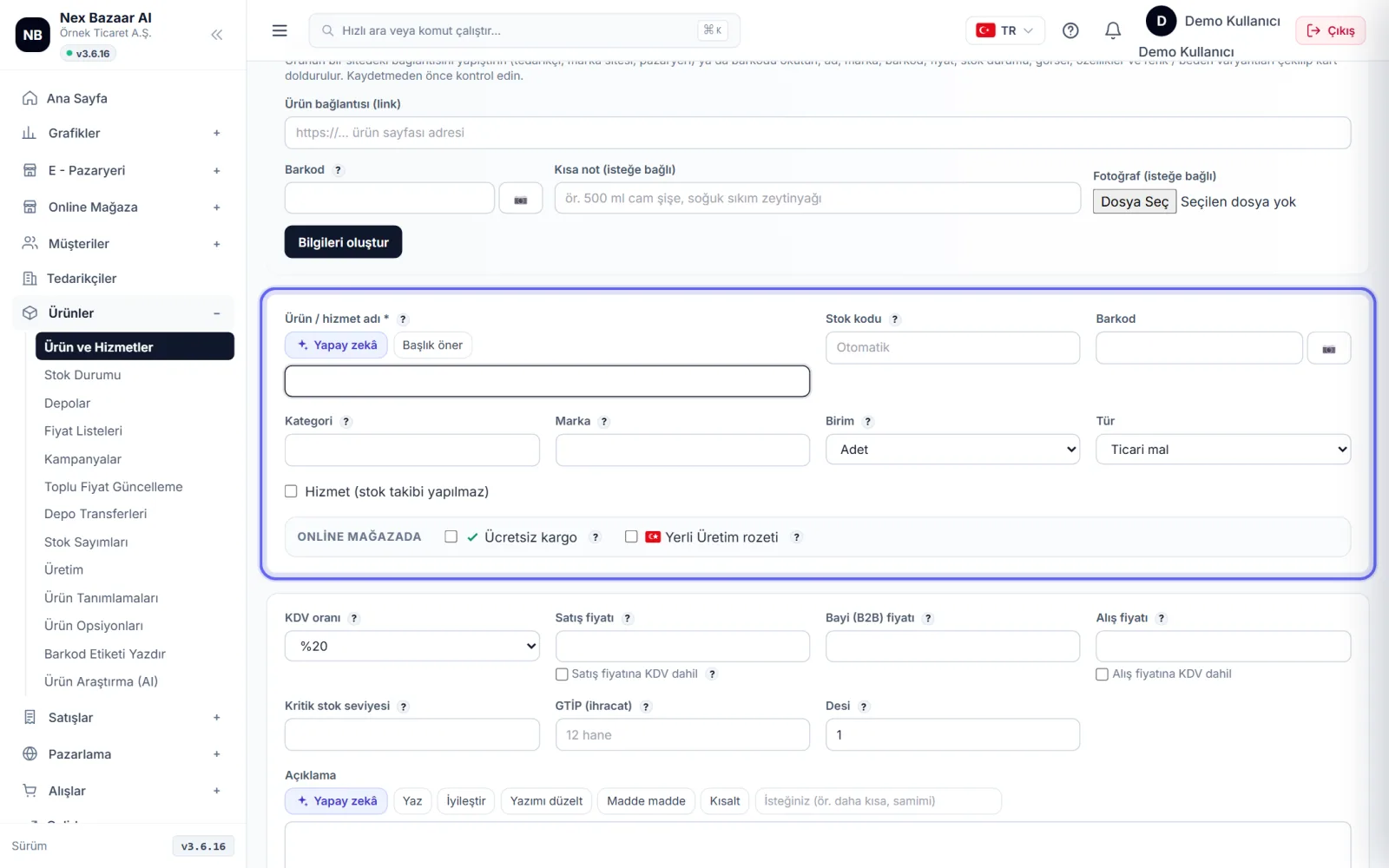
Products → Products and Services on the screen + New Product'e basın (hizmetler için + Add Service). Product/service name zorunludur; Stock code, Barcode, Unit, VAT rate and Sales price'nı girin. Fiyatı KDV dahil yazıyorsanız Sales price includes VAT check the box. Save or for consecutive entry Save and add new.
-
 Enlarge ⤢
2
Enter opening stock
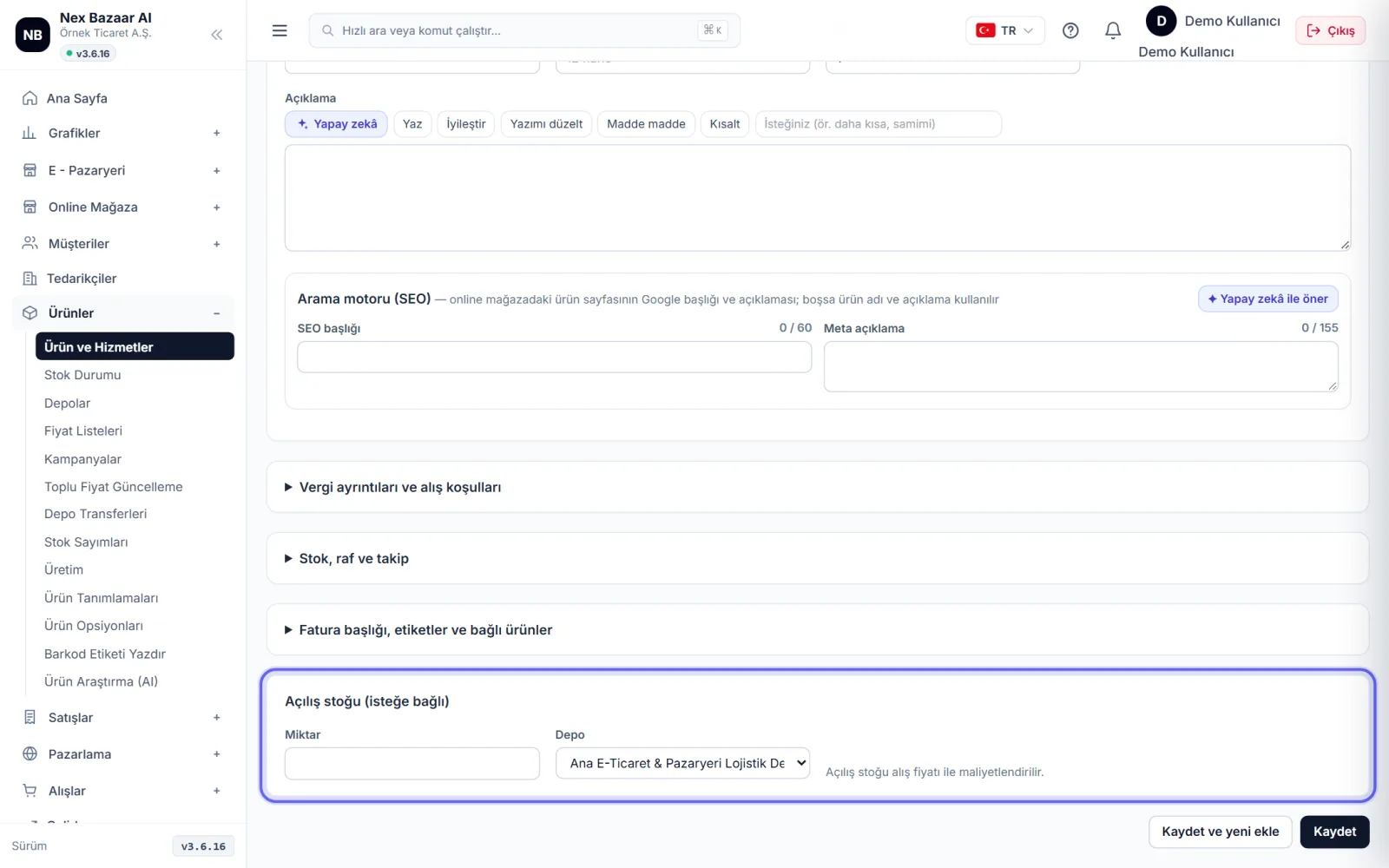
on card Opening stock (optional) In the section, write the warehouse and quantity. opening stock purchase price It is costed with; Also enter the purchase price for accurate profit reports. Critical stock level yazarsanız stok bu sayının altına inince listede uyarı görürsünüz.
-
 Enlarge ⤢
3
Bulk export from Excel
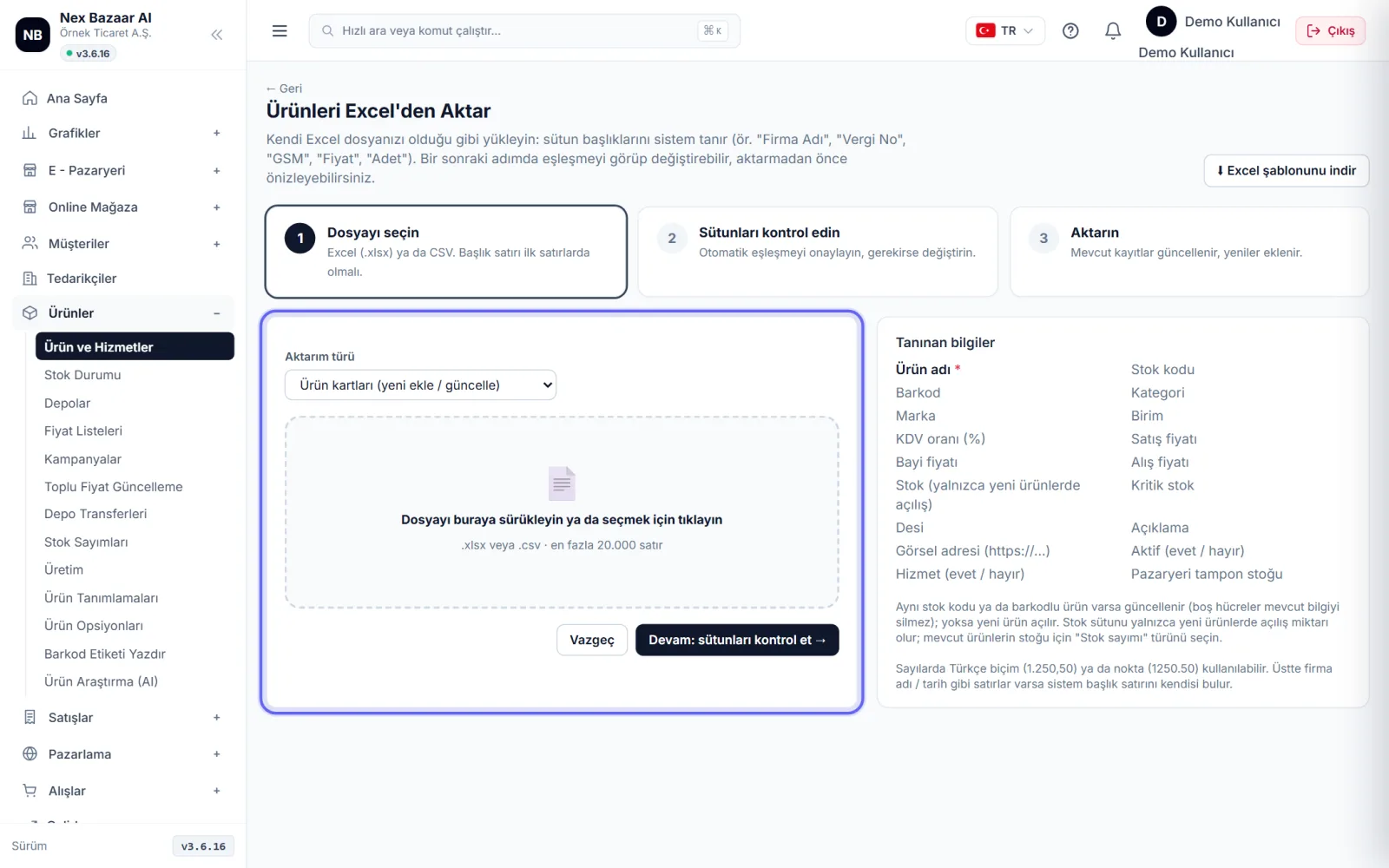
📤 Load from Excel'ye basın. Kendi dosyanızı olduğu gibi sürükleyin ya da önce ⬇ Download Excel template. After installing Continue: check columns →: system automatically maps columns; correct the wrong match to the column you don't want to import — Transfer — Say and confirm. The product whose stock code or barcode is the same as the one in the system cannot be reopened, is updated.
-
 Enlarge ⤢
4
Load or count stock quantities
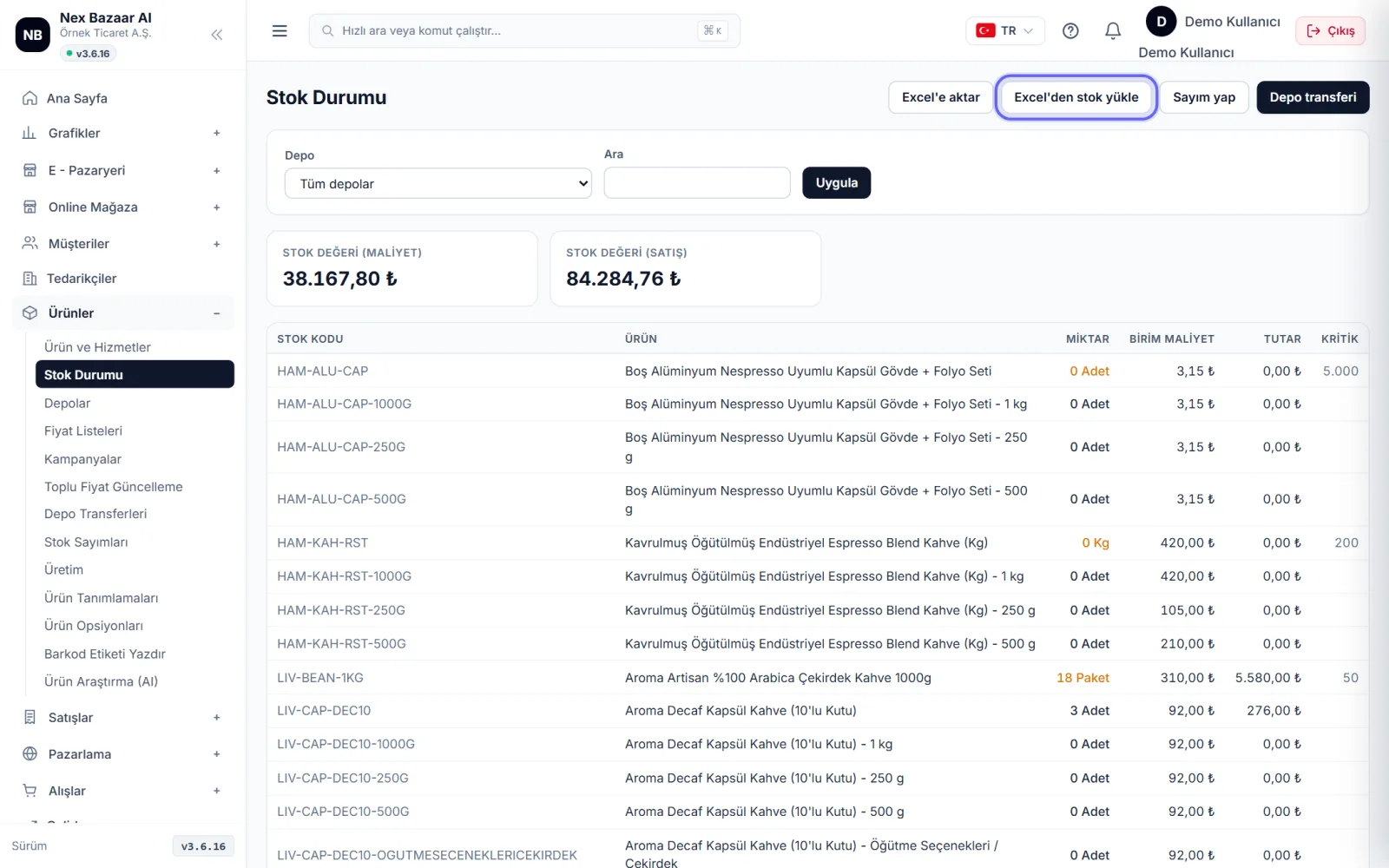
Products → Stock Status on the screen Load stock from Excel Use to transfer your census list or take count ile depoda saydığınız miktarları girin. Sayım kaydedilince fark kadar stok giriş / çıkışı kendiliğinden oluşur.
-
 Enlarge ⤢
5
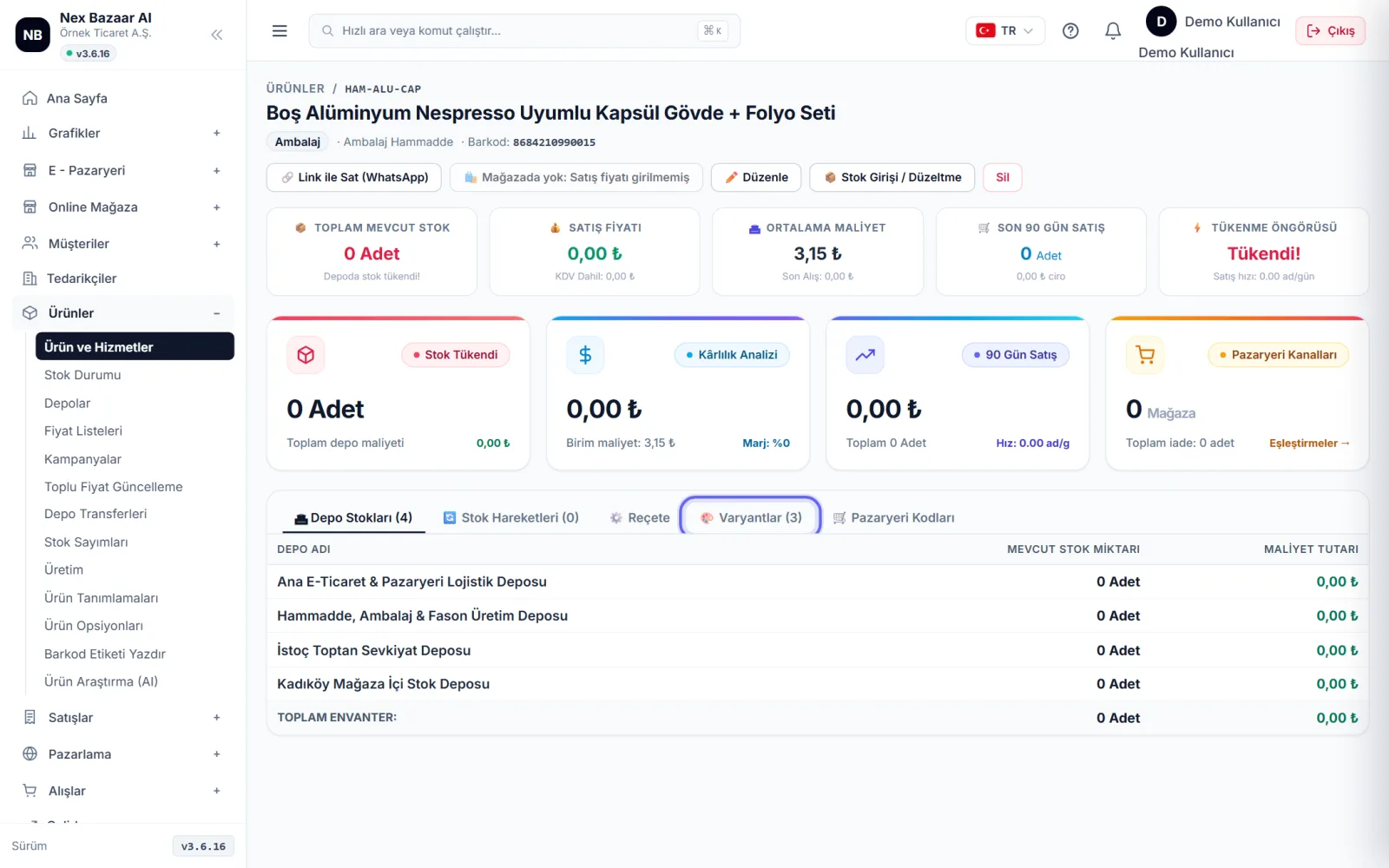
Add variants and options
Open the product card 🎨 Varyantlar Go to the section. For color/size + Generate New Variant Combinations, for products sold by weight + Create weight options (e.g. "250g, 500g, 1kg" and price per kilo). Each variant keeps separate stock. Options such as grinding and gift packaging of the customer's choice + New option ile tanımlayın.
-
 Enlarge ⤢
6
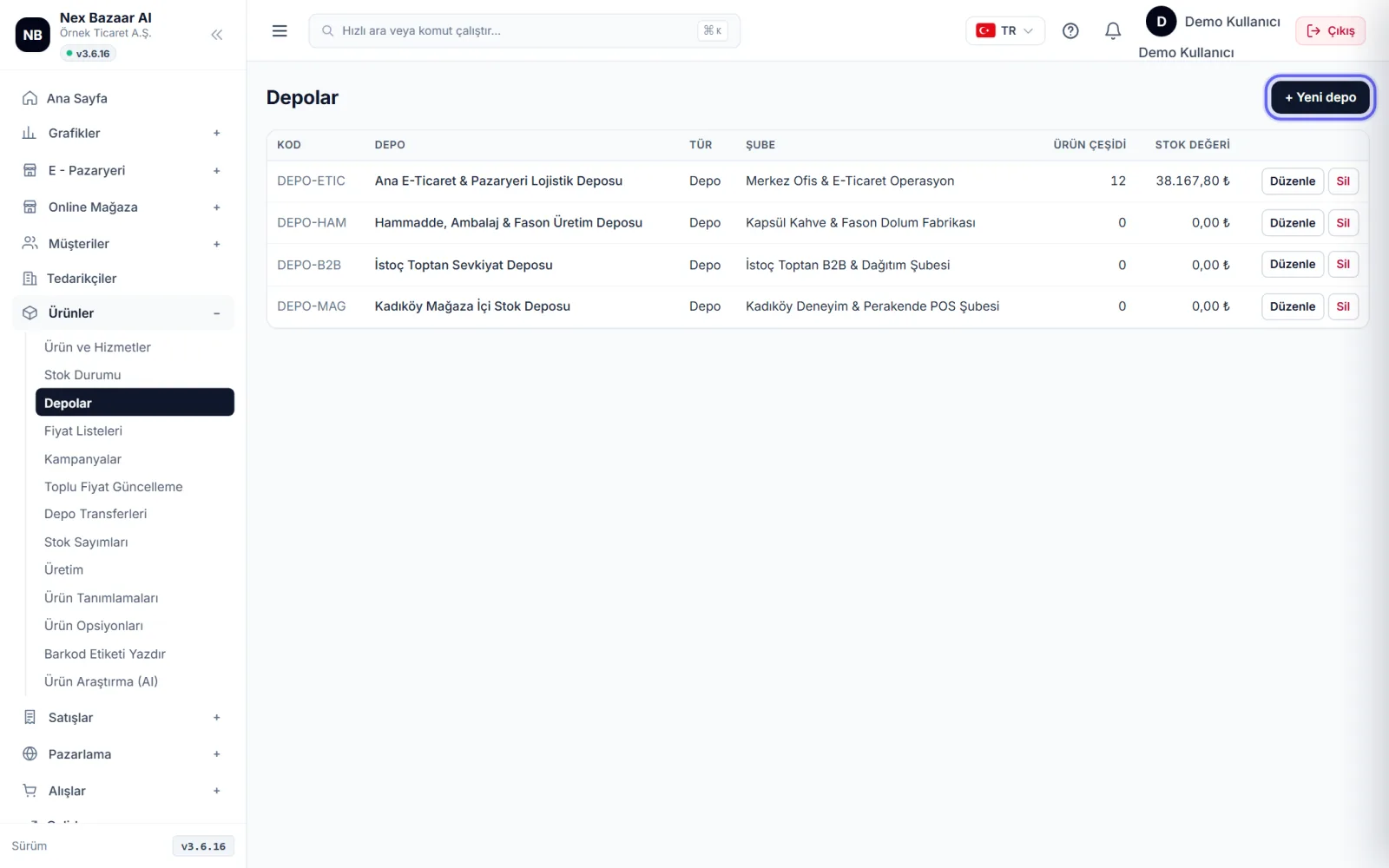
Manage warehouses and transfers
Products → Warehouses'dan + New warehouse add. When transporting goods between warehouses Products → Warehouse Transfers ile kayıt açın; stok bir depodan düşüp diğerine eklenir. Hiç kullanılmamış depo silinebilir, son aktif depo silinemez.
-
7
How does stock change?
stock, sales invoice falls when cut, purchase invoice increases when entered; Return, transfer, production and counting documents also update the stock. The offer does not affect stock. Marketplace and online store orders that have not yet been invoiced are transferred from the stock shown on the channels. rezerv olarak düşülür; böylece aynı ürün iki kez satılmaz.
-
8
Create product knowledge with AI
In new product form Create product information with AI: provide a link, barcode or photo of the product on a site, and the name, description and features will be suggested. In the name and description fields ✦ Recommend with artificial intelligence düğmeleri metni yazar ya da iyileştirir.
Common problems
Stocks did not arrive after Excel transfer+
Aktarımdaki stok miktarı yalnız newly opened products are written off as opening stock; The stock of the existing product is not changed. For the quantity of products available Stok Durumu → Excel'den stok yükle'yi kullanın.
"Bu barkod zaten kayıtlı" uyarısı+
The same barcode is on another card. Search for the barcode in the list and open that card; Do not open a new card if it is the same product.
Prices mixed with/without VAT+
Fiyatlar sistemde her zaman KDV hariç saklanır; "KDV dahil" işareti yalnız giriş kolaylığıdır. Toplu düzeltmek için ürün listesindeki Bulk Price Update →'yi kullanın.
Stock fell into minus+
Ürünün stoğu girilmeden satış faturası kesilmiştir. take count ile gerçek miktarı girin; fark kendiliğinden düzeltilir.
Frequently asked questions
Are services kept in stock?+
No. Service cards do not track stock; It is used as a line on the invoice.
Can I import my product list into Excel?+
Evet, ürün listesindeki 📥 Export to Excel düğmesi süzdüğünüz listeyi indirir.
Can I keep the same product in different warehouses?+
Yes. Stock is kept on a warehouse basis; You will see it by selecting the warehouse in Stock Status.