
Müşteri ve tedarikçi (cari) yönetimi
Müşteri ve tedarikçilerinizi cari kart olarak açın; vergi numarasıyla bilgileri getirin, vade ve risk limiti belirleyin. Her fatura, tahsilat ve ödeme cari bakiyesine işlenir; ekstre ve mutabakatı tek tıkla gönderin.
Audio narration · Click on the player for Turkish subtitles. CC button. The same steps are written and screenshotted below.
before you start
- ●Müşteri listeniz Excel'deyse hazır tutun: ünvan, VKN / TCKN, vergi dairesi, telefon, e-posta, adres ve varsa açılış bakiyesi sütunları yeterli.
- ●Customers of marketplace and online store orders are currently opened automatically; You don't need to enter them manually.
step by step
-
 Enlarge ⤢
1
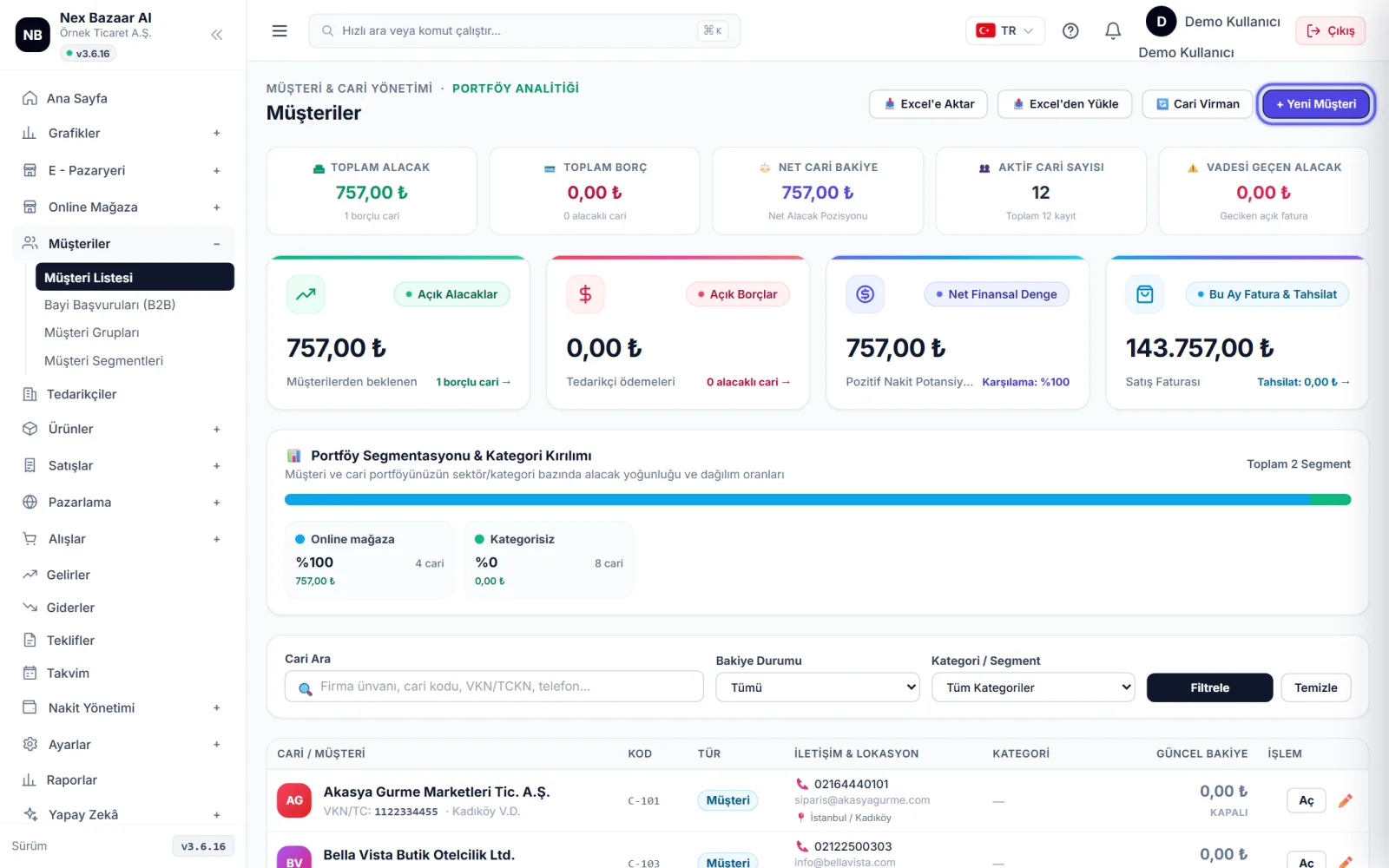
Open a new current account
for customer Customers → Customer List, for supplier Suppliers on the top right of the screen + New Customer / + New Supplier'ye basın. Bir firma hem müşteriniz hem tedarikçinizse türünü Customer + Supplier seçin; tek kartta izlenir.
-
 Enlarge ⤢
2
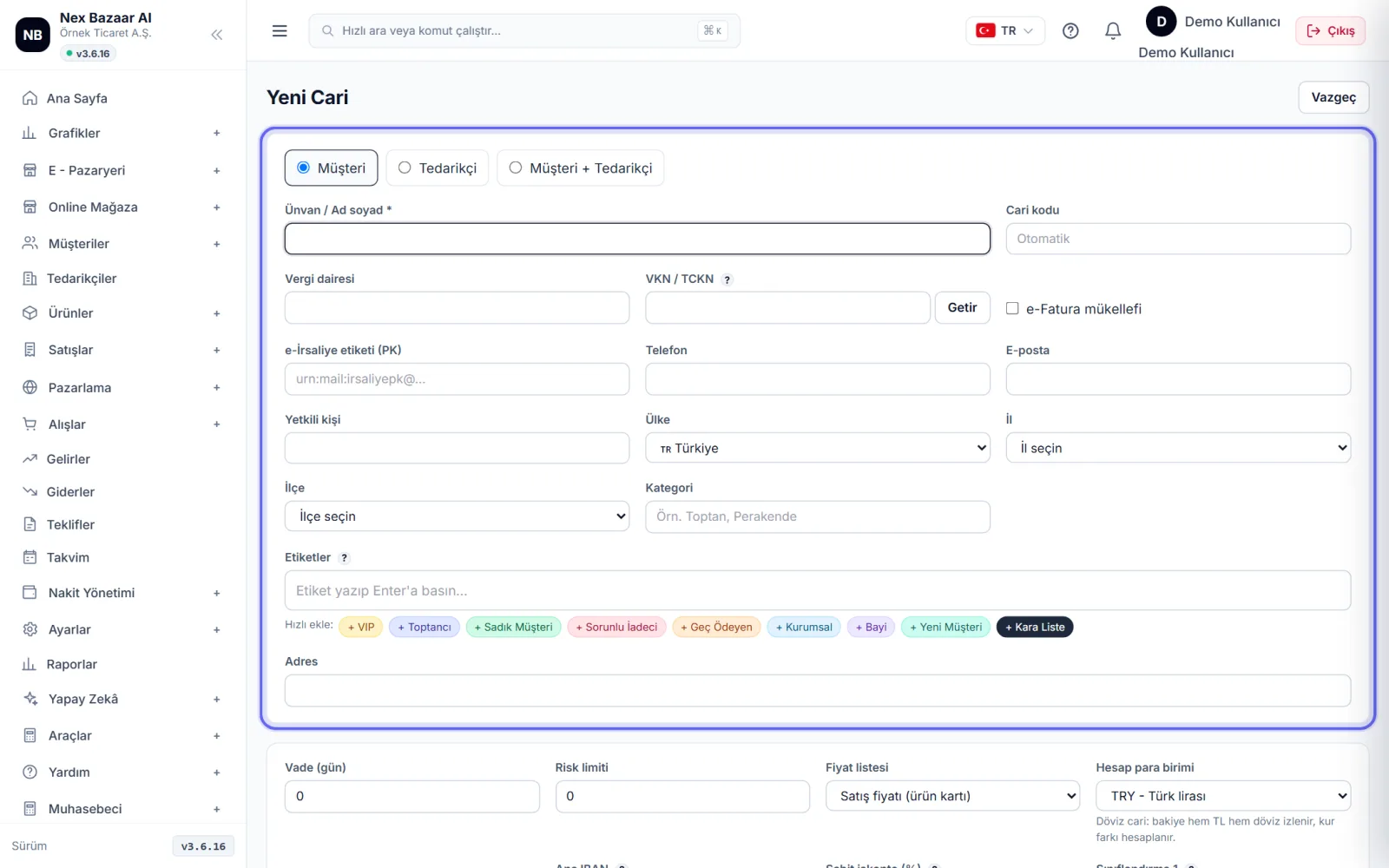
Bring information with tax number
Tax ID / National ID write and write Fetch'e basın: firma e-Fatura mükellefiyse ünvan ve posta kutusu etiketi e-Fatura entegrasyonunuzdan kendiliğinden gelir. Aynı numarayla kayıtlı cari varsa uyarılırsınız. Title / Name and surname zorunludur; vergi dairesi, adres (il / ilçe), telefon ve e-postayı tamamlayın.
-
 Enlarge ⤢
3
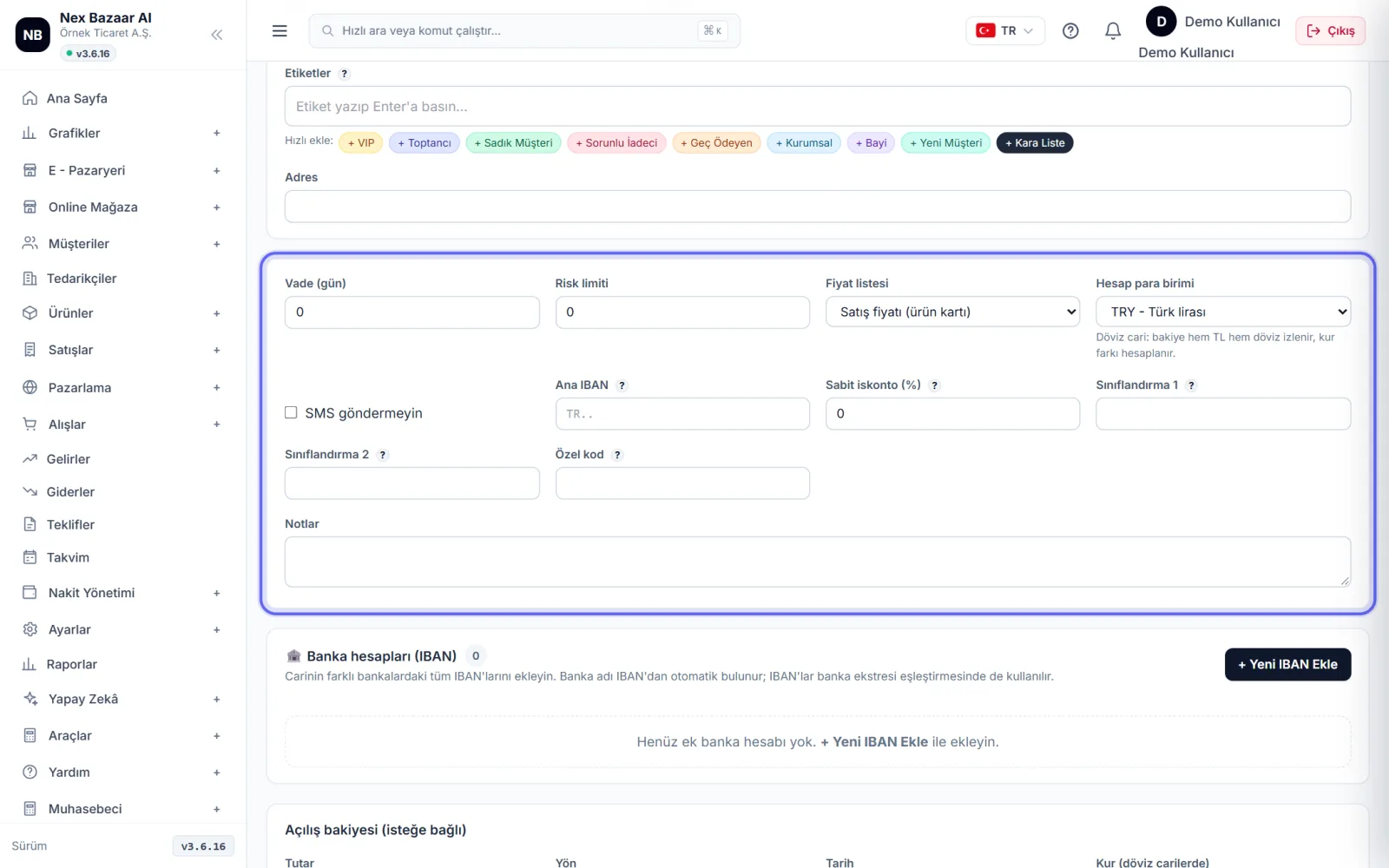
Enter maturity, risk and price conditions
Payment terms (days) If you enter, the due date of the invoices will be calculated automatically. Credit limit When it is exceeded, a warning appears on the card. For customer-specific prices Price list, for flat discount Fixed discount (%) select. 🏦 Bank accounts (IBAN) bölümüne carinin IBAN'larını ekleyin; banka ekstresi eşleştirmesinde kullanılır.
-
 Enlarge ⤢
4
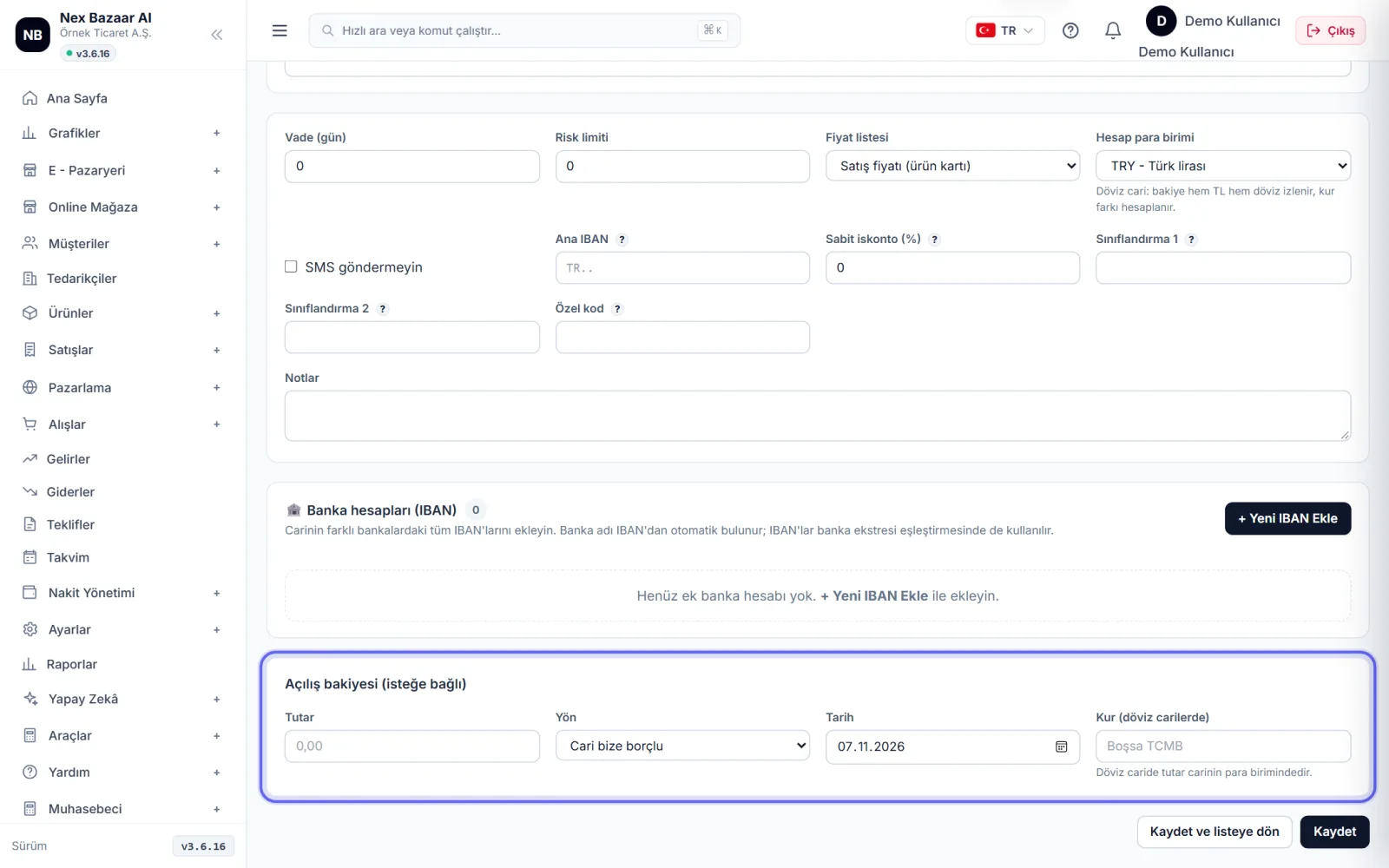
Enter opening balance
If there is a debt / receivable carried over from the previous program Opening balance (optional) section amount, date and Direction'ü (bize borçlu / bizim borcumuz) girin. Kart açıldıktan sonra da cari kartındaki Define Opening Balance ile ekleyebilirsiniz.
-
 Enlarge ⤢
5
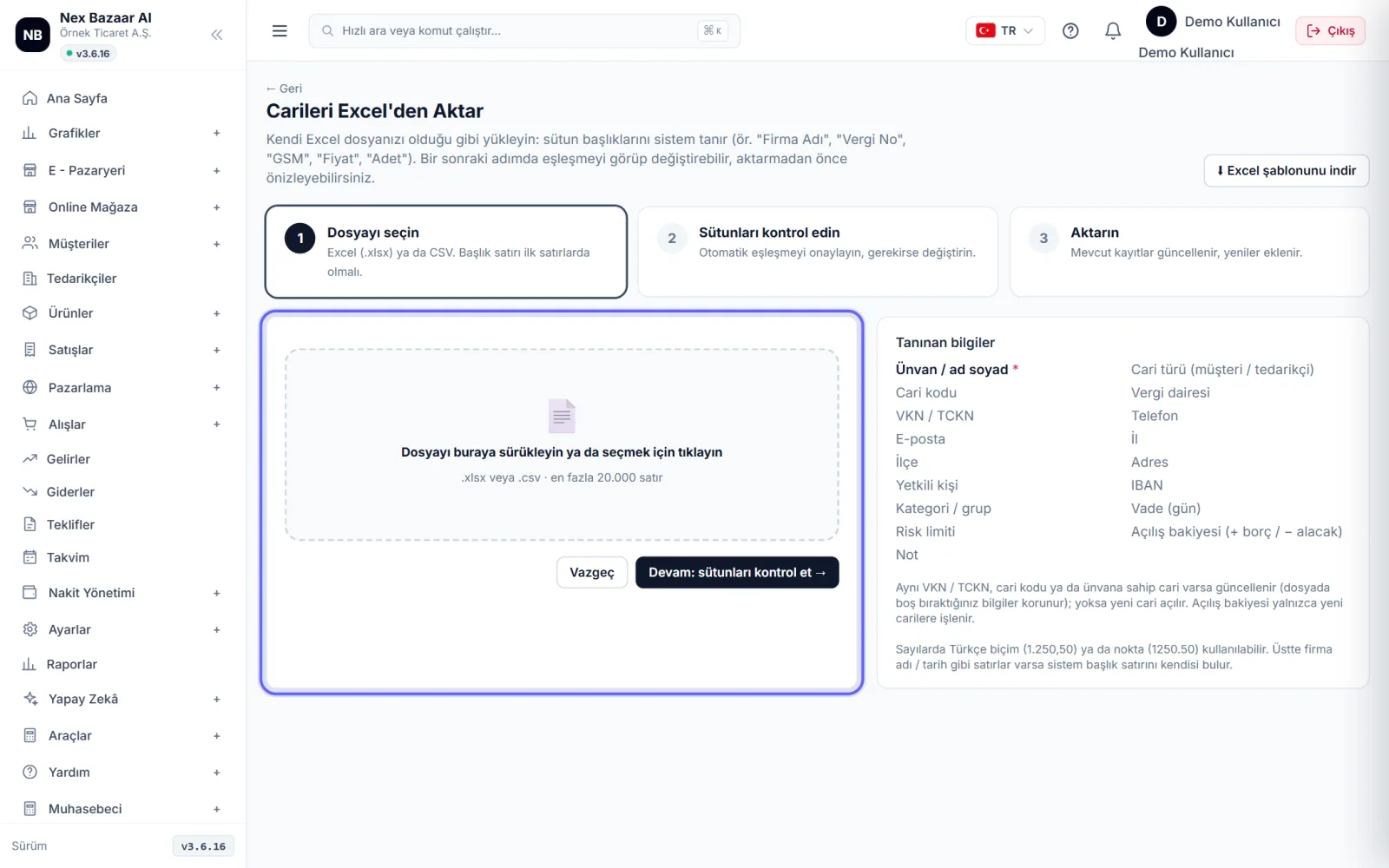
Bulk export from Excel
on the list 📤 Load from Excel'ye basın, dosyanızı yükleyin, Continue: check columns → ile eşleşmeyi onaylayın. VKN, cari kodu ya da ünvanı aynı olan cari yeniden açılmaz, güncellenir; boş hücre mevcut bilgiyi silmez. Açılış bakiyesi yalnız yeni açılan carilere yazılır.
-
 Enlarge ⤢
6
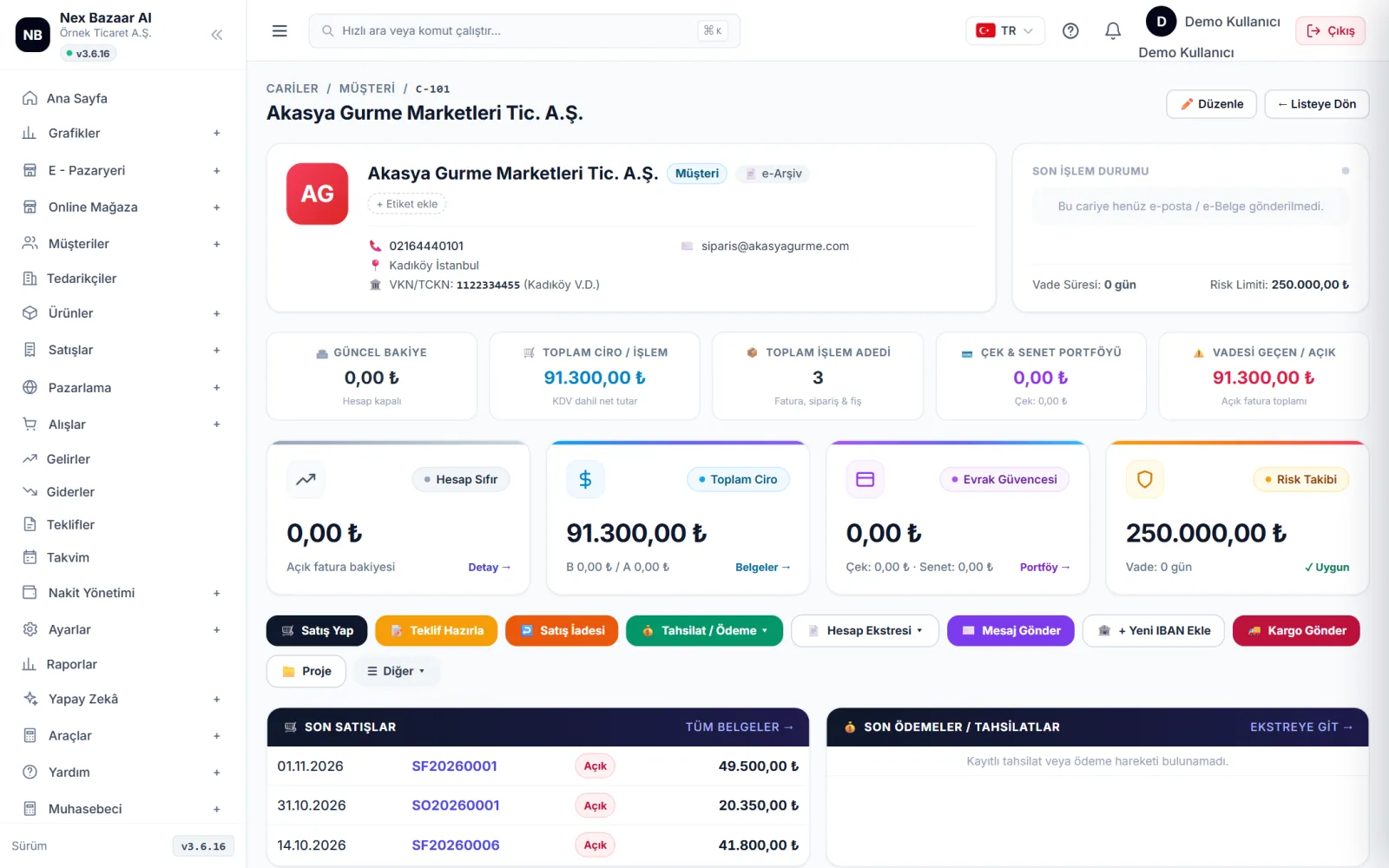
Make transactions on your current card
Balance, open invoices and all transactions appear on your current card. from here Sell (yeni fatura), Get Collection, ✉️ Send Email / SMS and Create Account Statement Work with. To correct incorrect balance without entering documents ⚖️ Correct / Reset Balance vardır; işlem geçmişine yazılır.
-
7
Send statement and reconciliation
Choose a period Create Account Statement Print or email the statement using . For year-end or period reconciliation Send Letter of Agreement kullanın; müşteriye giriş gerektirmeyen bir bağlantı gider.
-
8
Transfer between clients
To transfer the balance from one client to another client (e.g. two records of the same company) 🔄 Current Virman'ı kullanın.
Common problems
"Getir" bilgi getirmedi+
The title comes only for e-Invoice paying companies and when your e-Invoice integration is connected. For an individual customer, type the title by hand.
Same customer opened twice+
İki kartın bakiyesini 🔄 Current Virman ile birleştirin, sonra fazla kartı pasife alın.
Invoice does not convert into e-document+
For e-Invoice / e-Archive, the city and district must be filled in the client's address; If the individual customer does not have a TR ID number, e-Archive is cut off with 11111111111.
Frequently asked questions
Can I open a foreign exchange current account?+
Evet. Kartta Foreign currency seçin; bakiye hem TL hem döviz izlenir, kur farkı hesaplanır.
Can I import current accounts into Excel?+
Evet, listedeki 📥 Export to Excel süzdüğünüz carileri indirir.
Can I add a branch / shipping address?+
Evet, cari kartında + Add New Shipping Address / Branch; faturada istediğiniz adresi seçersiniz.