
Kasa, banka ve tahsilat / ödeme
Kasa, banka, POS ve kredi kartı hesaplarınızı tanımlayın; müşteriden tahsilatı, tedarikçiye ödemeyi saniyeler içinde kaydedin. Banka ekstresini yükleyip hareketleri carilerle eşleştirin, nakdinizi tek ekranda görün.
Audio narration · Click on the player for Turkish subtitles. CC button. The same steps are written and screenshotted below.
before you start
- ●Banka hesaplarınızın IBAN'ları ve hesap açılış bakiyeleri (geçiş tarihindeki bakiye).
- ●You can download transactions as Excel (.xlsx) or CSV from your internet branch for bank statement matching.
step by step
-
 Enlarge ⤢
1
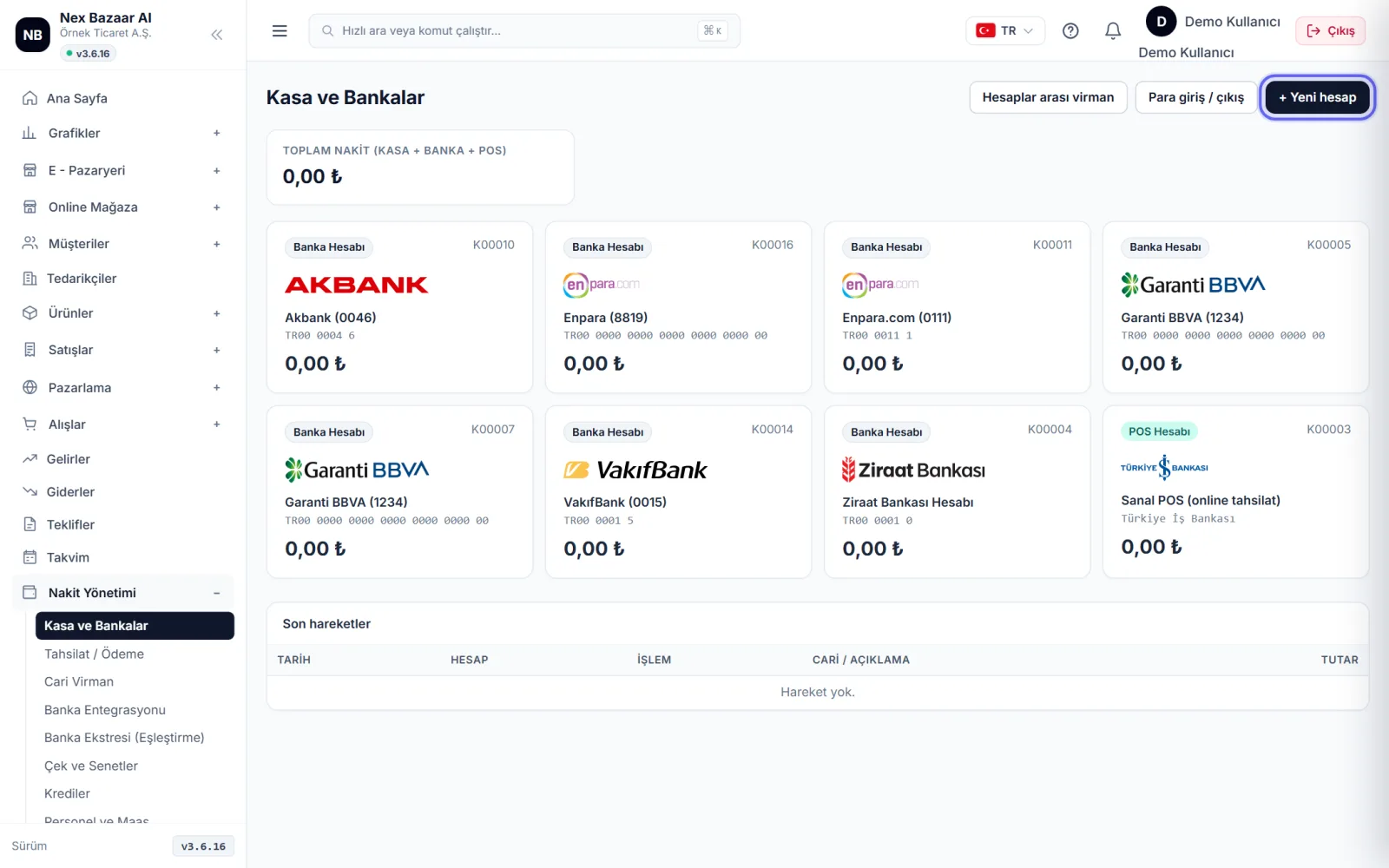
Identify your accounts
Cash Management → Cash and Banks'da + New account'a basın. Type: Safe, Bank Account, POS Account or Credit Card. Alone in the bank account IBAN yeterlidir; banka ve logo IBAN'dan bulunur, hesap adı boşsa "Banka (son 4 hane)" olur. Opening balance ve döviz hesapsa para birimini girin.
-
 Enlarge ⤢
2
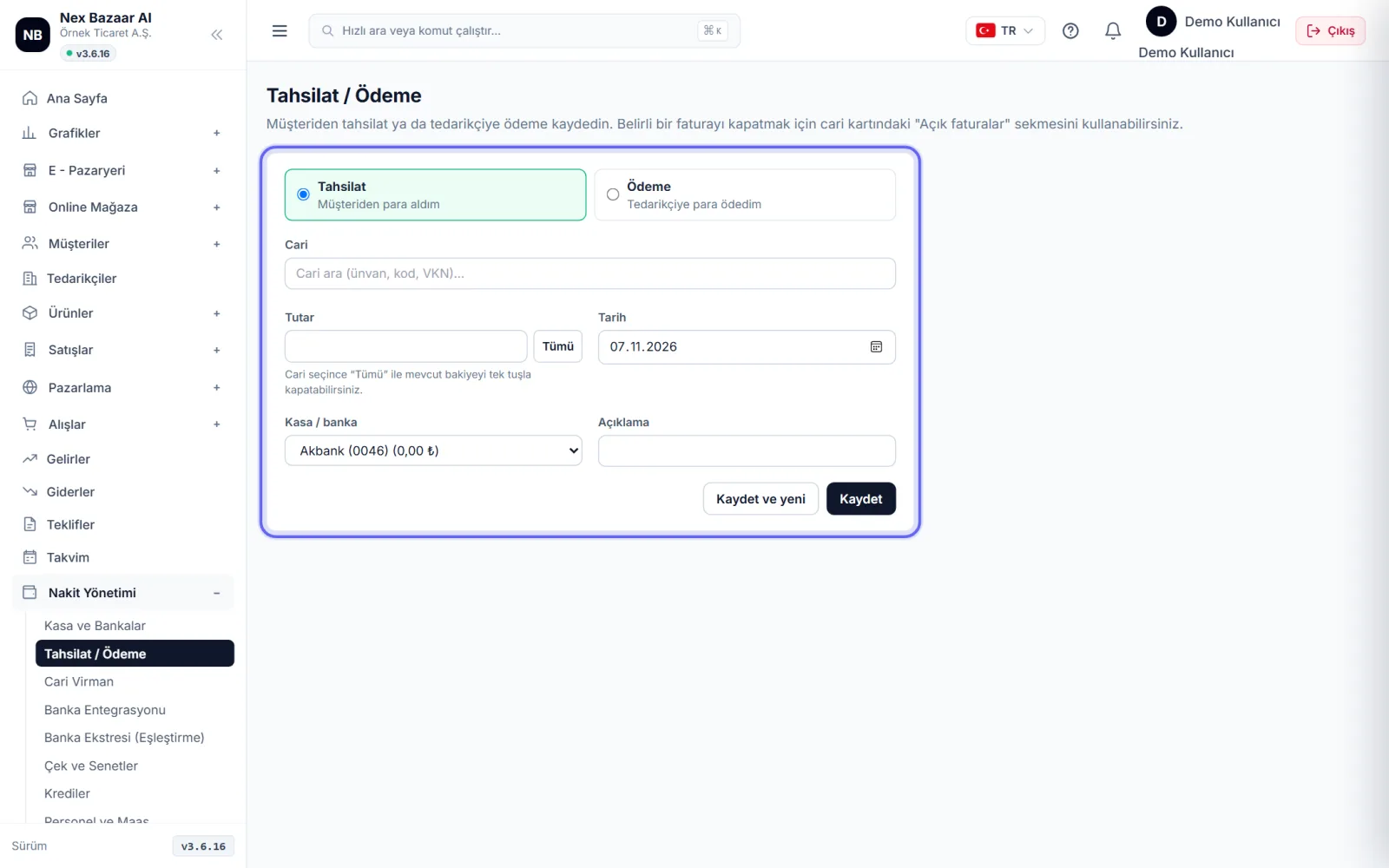
Record collection or payment
Cash Management → Collection / Payment'de I received money from the customer or I paid money to the supplier'i seçin. Cariyi, kasa / banka hesabını, tarihi ve tutarı girin. Cari seçince All You can close the current account's open balance with a single click. The amount is recorded in the current balance; to pay off a specific invoice, from open invoices on your current card or from the invoice. Collect payment'dan girin.
-
3
Collection from invoice
on the invoice screen to get money for a specific invoice. Collect payment use the button; same button on purchase invoice Make a payment olarak görünür.
-
 Enlarge ⤢
4
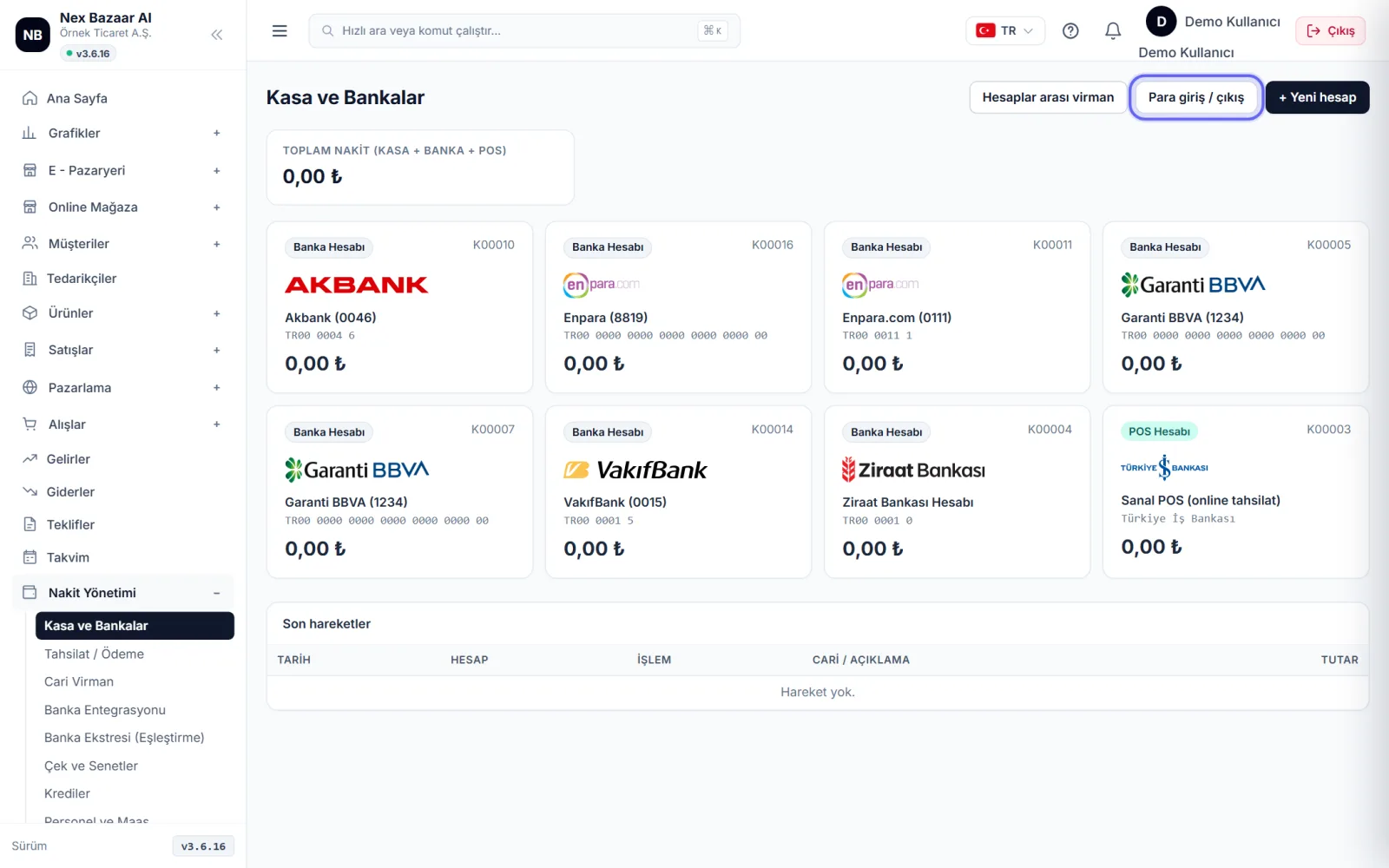
Money movements that are not dependent on a current account
Sermaye girişi, ortak çekişi, banka masrafı gibi cariyle ilgisi olmayan hareketler için Kasa ve Bankalar'daki Cash in / out'ı; bankadan kasaya para çekme, hesaplar arası transfer ya da döviz alım / satımı için Transfer between accounts'ı kullanın.
-
 Enlarge ⤢
5
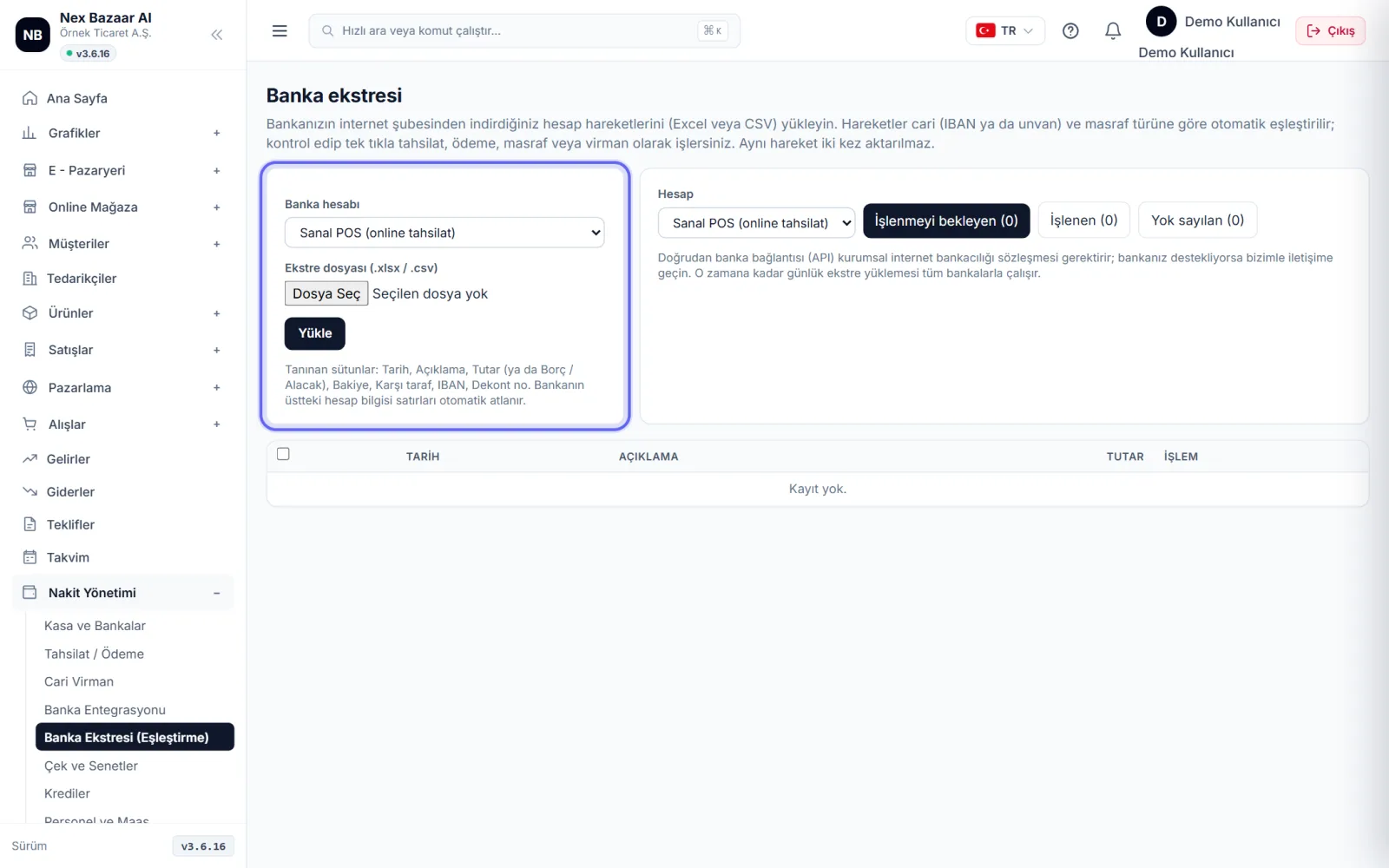
Upload and match bank statement
Cash Management → Bank Statement (Matching)'de banka hesabını seçin, internet şubesinden indirdiğiniz .xlsx / .csv Upload the file. Date, description, amount (or debit / credit) columns are recognized; Transactions are tried to be matched with current accounts without IBAN and description. check and Process selected.
-
 Enlarge ⤢
6
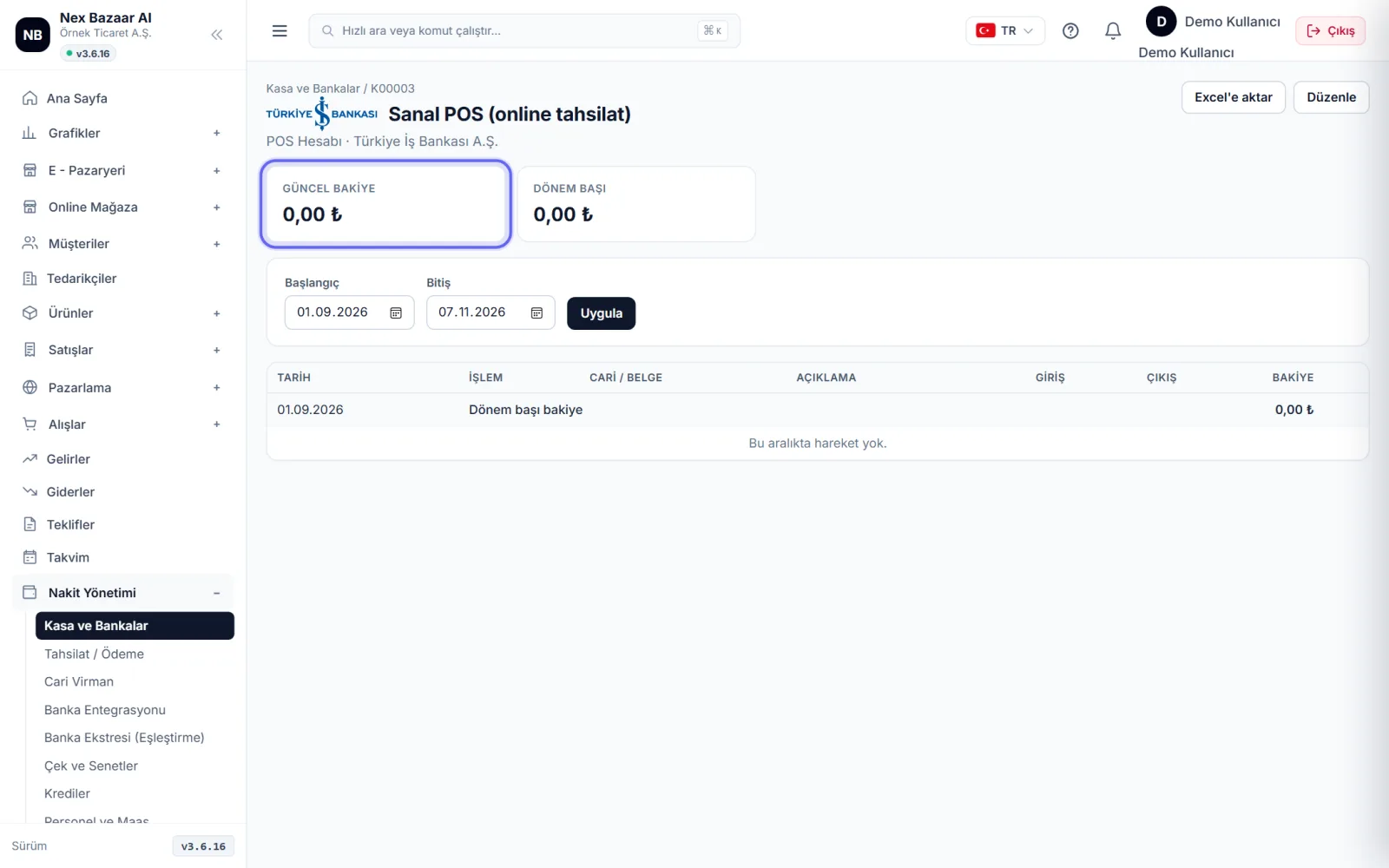
Review account transactions
When you click on the account, the balance at the beginning of the period, inflows, outflows and current balance appear; select date range Export to Excel ile indirebilirsiniz. Kasa ve Bankalar'ın üstünde Total cash (cash + bank + POS) yazar.
-
7
Automatic bank connection (optional)
If your bank offers account transactions web service Cash Management → Bank Integration'nda bankayı seçip DOWNLOAD APPLICATION FORM; Once the form is completed and submitted to the bank, enter the connection information, pull the moves ile hareketler kendiliğinden gelir.
-
8
Checks, promissory notes and loans
Checks and bills received/given Cash Management → Checks and Promissory Notes'de vadesiyle izleyin; banka kredilerini taksit planıyla Credits'de tutun. Vadesi yaklaşanlar nakit akış raporunda görünür.
Common problems
Collection does not appear on the invoice+
Tahsilat / Ödeme ekranından girilen tutar cari bakiyesini kapatır ama faturayı "ödendi" yapmaz. Faturayı kapatmak için fatura ekranındaki Collect payment'ı ya da cari kartındaki açık faturaları kullanın.
Statement file not recognized+
The first lines of the file should have column headings (Date, Description, Amount or Debit / Credit). PDF statement cannot be uploaded; Download Excel / CSV from the internet branch.
Cash balance went negative+
Kasaya giriş kaydedilmeden çıkış yapılmış ya da açılış bakiyesi girilmemiş. Hesabı açıp Edit account ile açılış bakiyesini kontrol edin.
Frequently asked questions
Is the credit card account included in the total cash?+
No; It is a credit card debt account, it consists of total cash cash + bank + POS.
Can I open a foreign currency account?+
Yes; Select the currency, it will be recorded in the books as TL. The exchange rate is entered in the transfer, if it is empty, the CBRT exchange rate is used.
Can I make online payments with a card?+
Evet; Ayarlar → Online Tahsilat (POS)'tan sanal POS bağlayın, faturadaki Payment link ile müşteriye ödeme linki gönderin.