
Satış faturası ve e-Fatura / e-Arşiv
Satış faturasını birkaç saniyede kesin: cari ve ürünleri seçin, kaydedin. Fatura stoğu düşürür, cariyi borçlandırır; tek tıkla e-Fatura ya da e-Arşiv olarak gönderin, tahsilatını aynı ekrandan alın.
Audio narration · Click on the player for Turkish subtitles. CC button. The same steps are written and screenshotted below.
before you start
- ●Firma bilgilerinizde il ve ilçe dolu olsun (Ayarlar → Firma Bilgileri); e-belge için şarttır.
- ●Faturalayacağınız ürünler ve müşteri kayıtlı olsun; değilse fatura ekranından da hızlıca ekleyebilirsiniz.
- ●e-Fatura göndermek için e-Fatura entegrasyonu kurulmuş olsun (adım 6).
step by step
-
 Enlarge ⤢
1
Yeni fatura açın
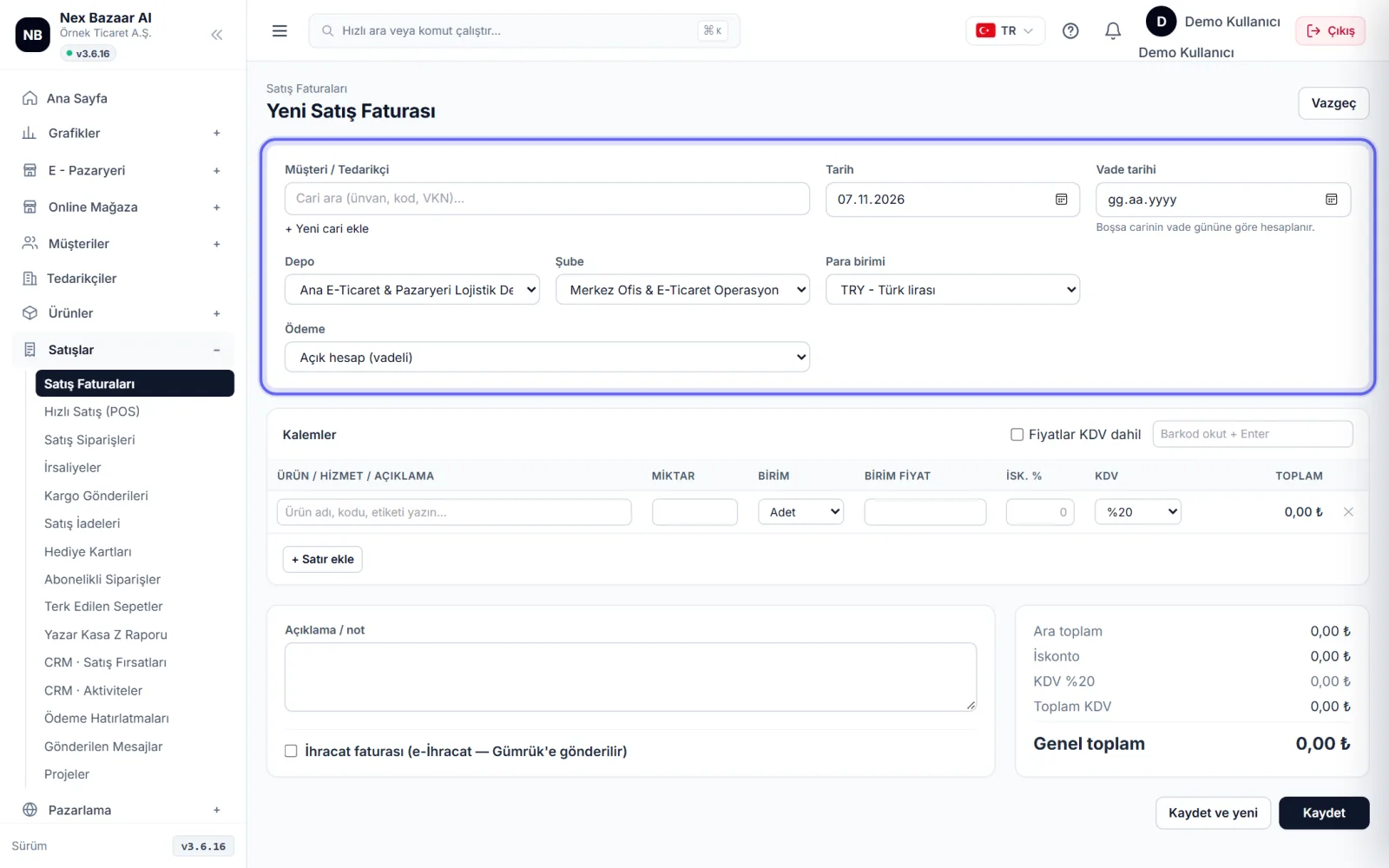
Sales → Sales Invoices on the screen + New sales invoice'na basın. Müşteriyi seçin; listede yoksa + Add new contact. date bugün gelir; vade boş bırakılırsa carinin vade gününe göre hesaplanır.
-
 Enlarge ⤢
2
Add the items
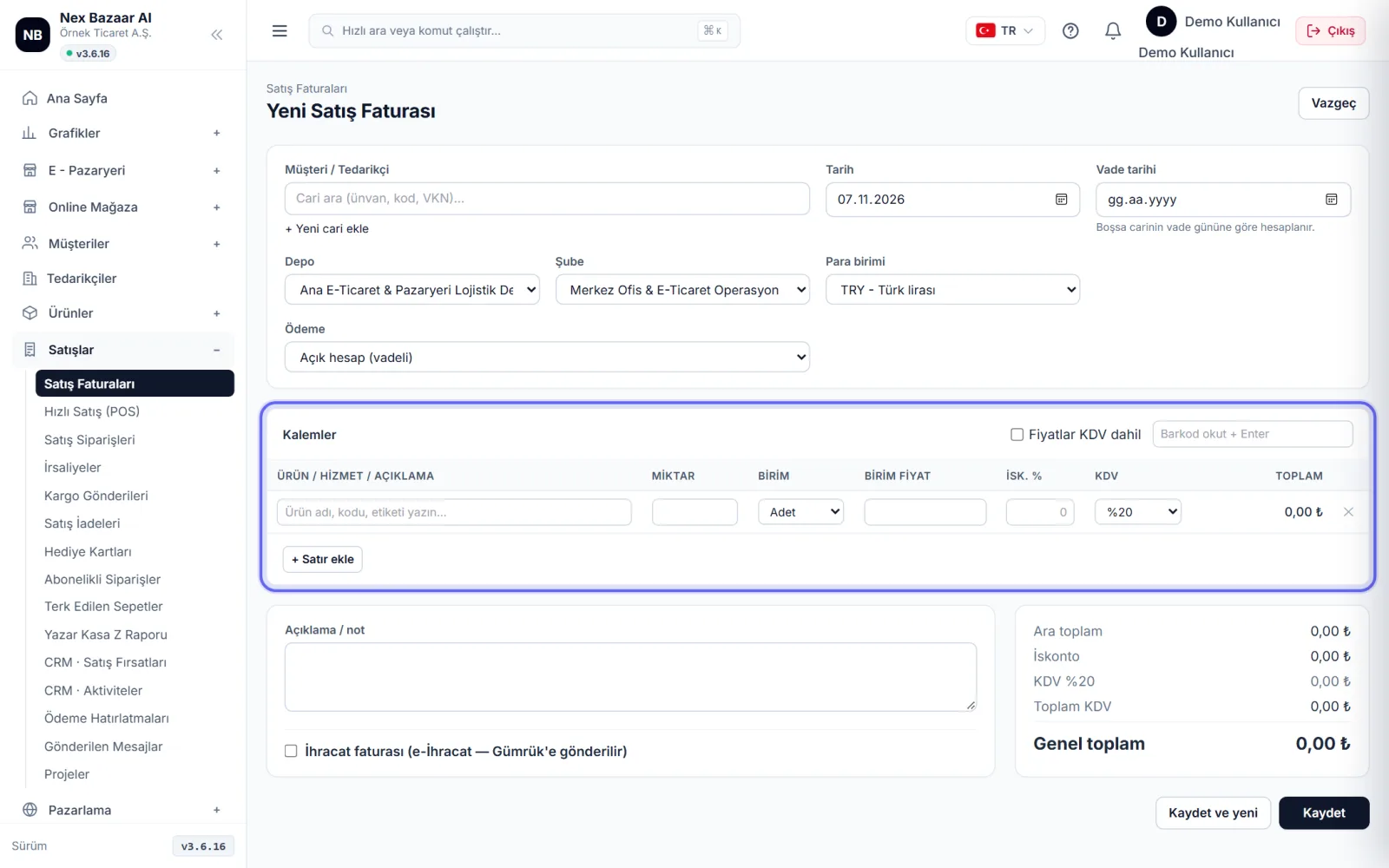
Line items In the section, type and select the product / service name or use the barcode reader. Scan barcode + Enter. Miktar, birim fiyat, Disc. % and VAT is issued on the line; for new line + Add line. If you write prices including VAT Prices include VAT kutusunu işaretleyin; toplam kuruşu kuruşuna tutturulur.
-
 Enlarge ⤢
3
Select payment method and save
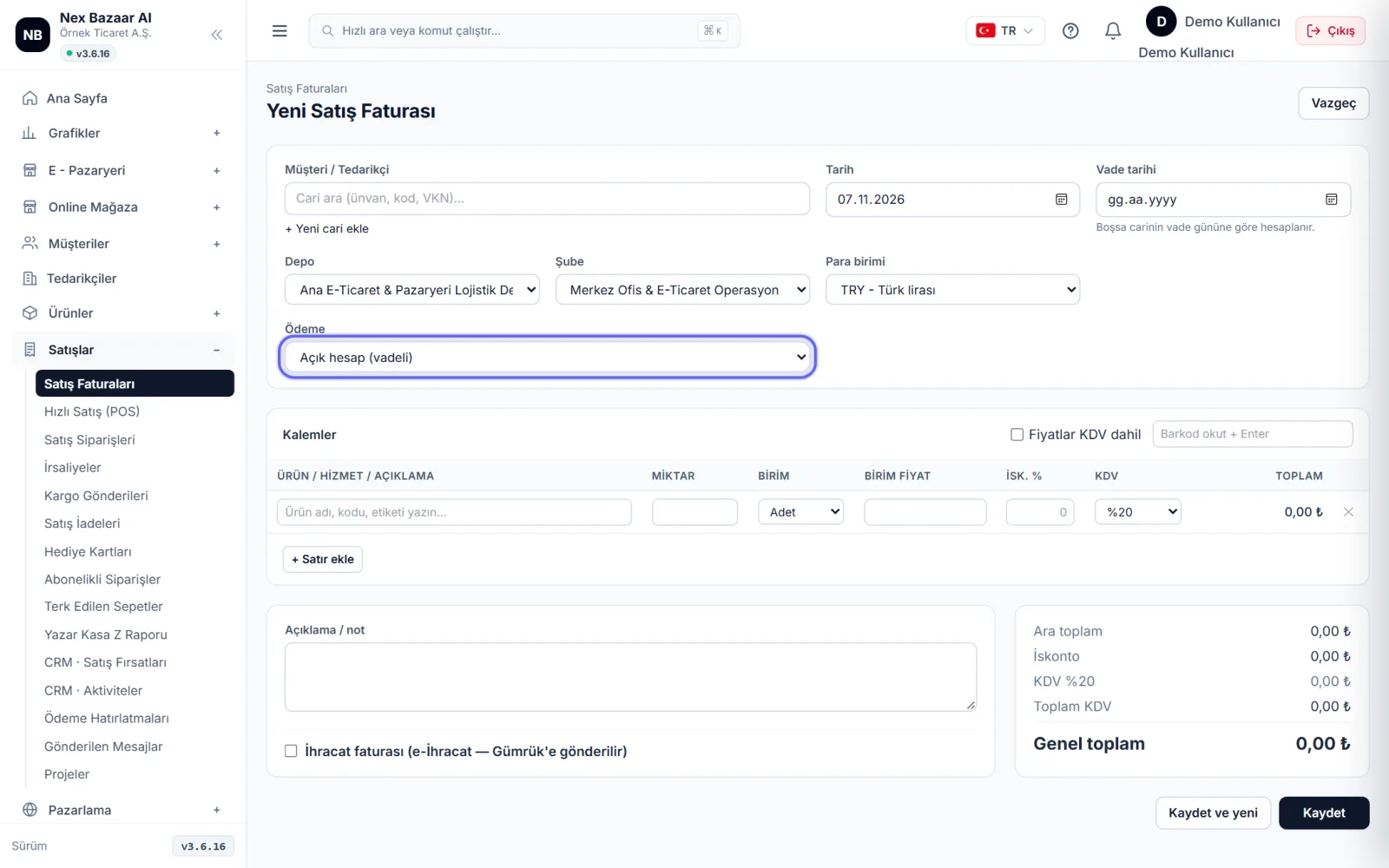
Payment For forward sales in the field Open account (withdrawal), for cash sale Cash — (cash/bank name) select; The pursuit collection is also recorded at the same time. Select the currency and rate on the foreign exchange invoice (CBRT rate if blank). Save or to cut back to back Save and new.
-
 Enlarge ⤢
4
Send invoice, print
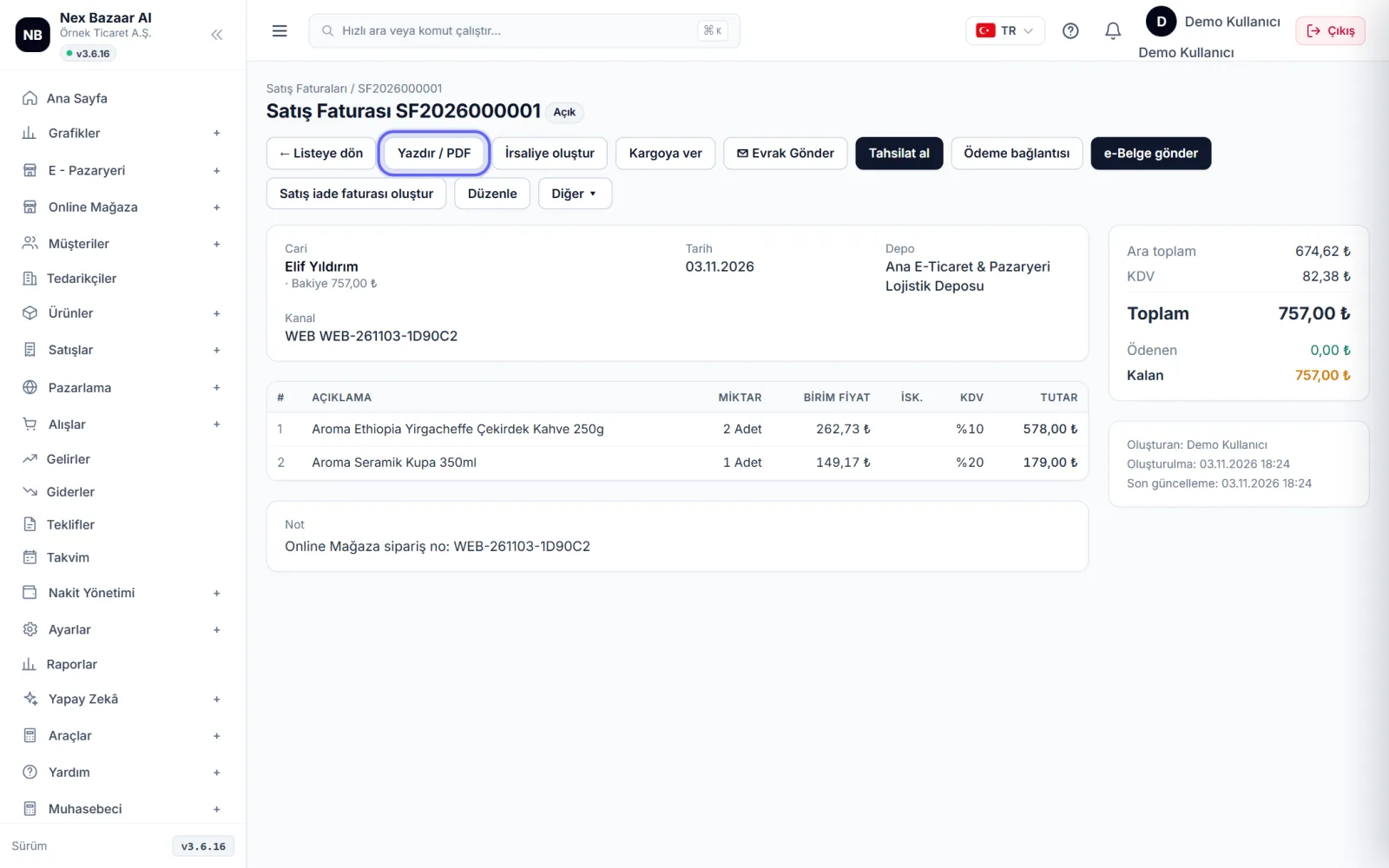
In the recorded invoice Print / PDF, to email to the customer ✉ Send document, to receive payment by card Payment link It has buttons. If you are sending goods Create waybill, if you are shipping Hand over to carrier.
-
 Enlarge ⤢
5
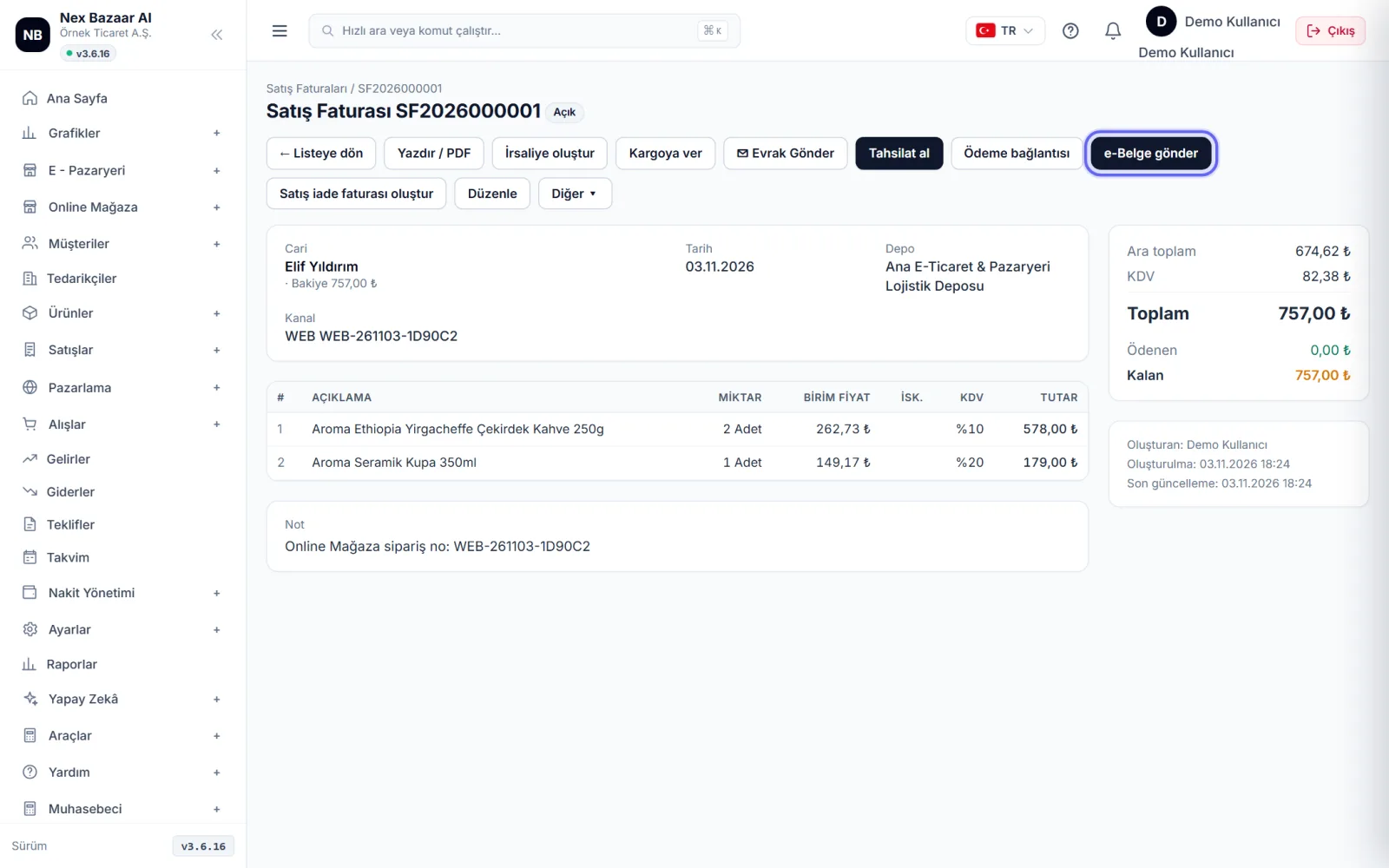
Send as e-Invoice / e-Archive
On the invoice screen Send e-document'e basın. Alıcı e-Fatura mükellefiyse e-Invoice, if not e-Archive It goes away on its own. before sending Preview UBL-TR XML ile kontrol edebilirsiniz. Gönderilen belge düzenlenemez.
-
 Enlarge ⤢
6
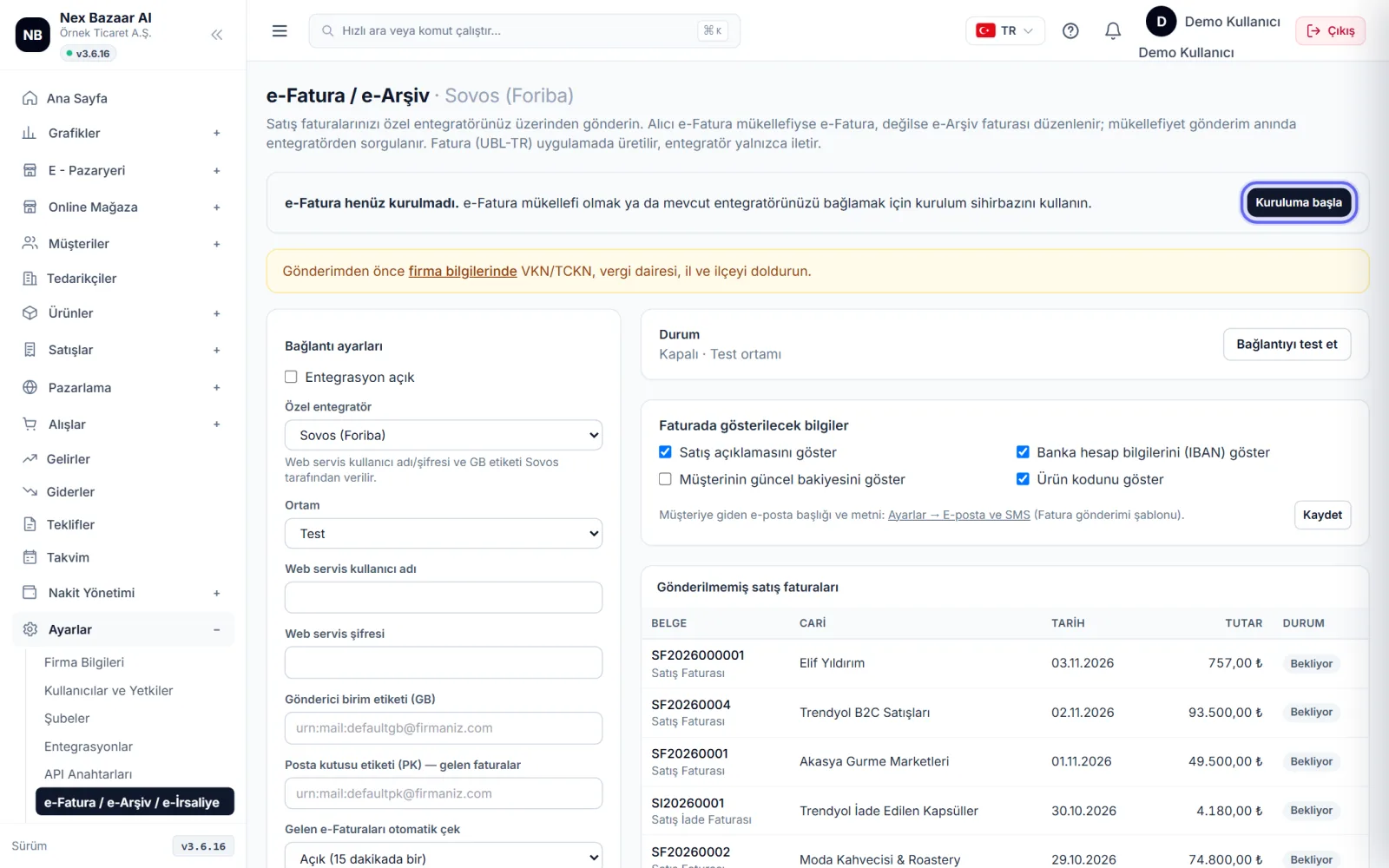
e-Fatura entegrasyonunu kurun (bir kez)
Settings → e-Invoice / e-Archive / e-Delivery Note'ye girin. İki yol var: Nex Bazaar AI e-Invoice (prepaid) — no separate integrator contract required, Apply We open your account with , each shipment is deducted from the credit; or I am my own integrator — enter the web service username, password and GB tag of your current integrator Test connection. If it is not installed yet, on the screen Start installation görünür.
-
 Enlarge ⤢
7
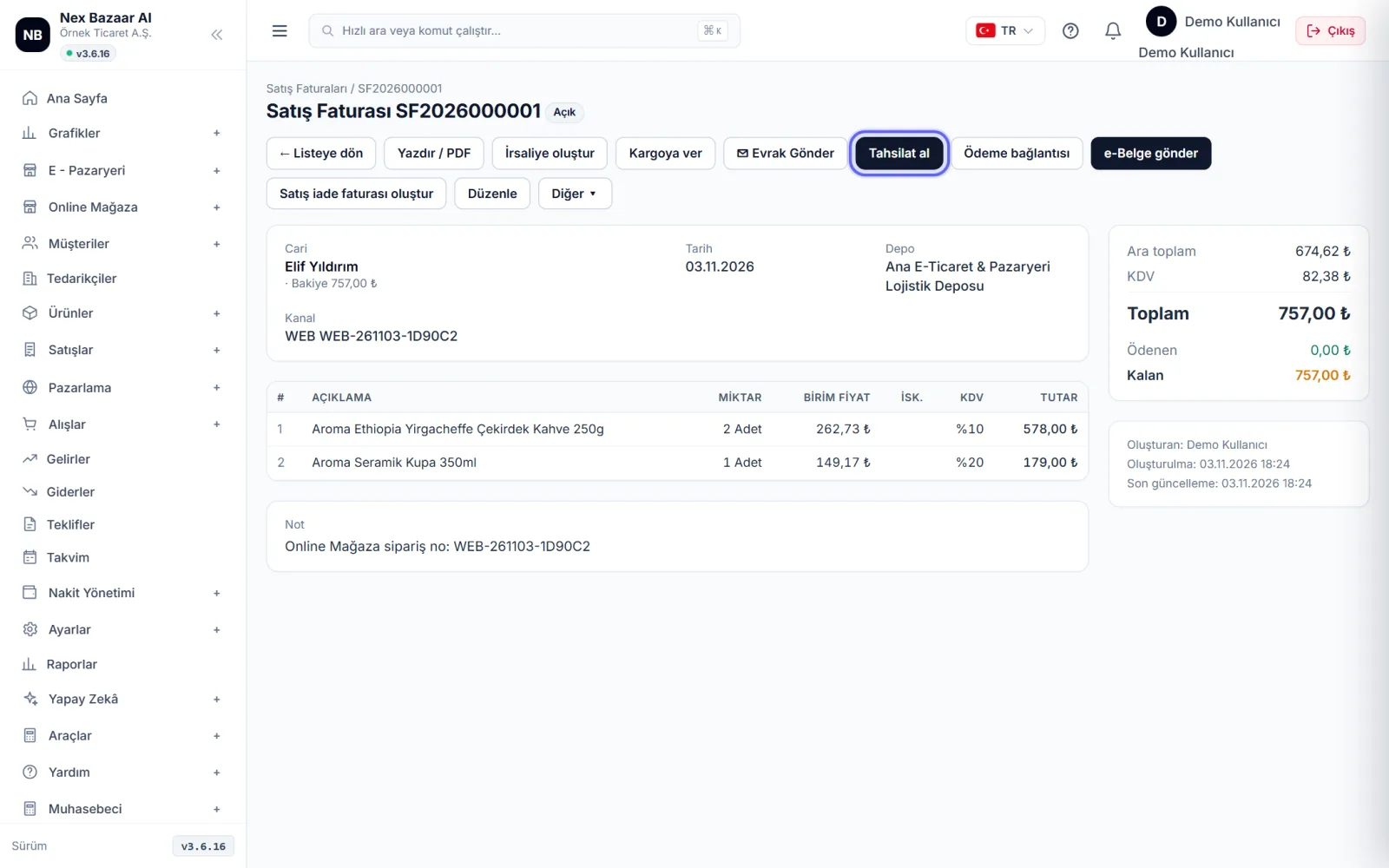
Record the collection
When the money for the overdue invoice arrives, it appears on the invoice screen. Collect payment ile kasa / banka hesabını ve tutarı girin. Kısmi tahsilat yapılabilir; kalan tutar faturada ve cari kartında görünür.
-
8
From quote and order to invoice
Offers or Sales → Sales Orders'nden başlayabilirsiniz. Belge ekranındaki More ▾ from the menu Convert to order / Convert to invoice With this method, information is transferred without being rewritten. To change the offer Revise (new version).
Common problems
"e-Belge gönder" düğmesi görünmüyor+
e-Fatura entegrasyonu kurulmamış ya da kullanıcınızın e-belge yetkisi yok. Settings → e-Invoice / e-Archive / e-Delivery Note'den kurulumu yapın.
There is an error in the e-invoice sent+
Gönderilen e-belge değiştirilemez. Alıcıyla anlaşıp iade faturası (Sales → Sales Returns) kesin ya da e-Arşiv faturayı yasal süresi içinde iptal edin.
e-document gives "province / district" error+
The city / district is missing in the company or customer address. Settings → Company Information for the company, current card for the customer → Edit.
Credit is up+
Kontörlü hizmette kalan miktar e-Fatura ekranında yazar; Buy credits ile yükleyin.
Frequently asked questions
Will the stock decrease when an invoice is issued?+
Yes; sales invoice stock decreases, debiting the current account. If the invoice is deleted or edited, the records are recalculated.
How to assign invoice numbers?+
Otomatik verilir; seri ve sırayı Settings → Document Numbers'ndan ayarlayın. e-belgelerde numarayı e-belge sistemi verir.
Can I change the invoice view?+
Evet, Settings → Print Design'ndan logo, renk ve alanlar.
Can I issue an export invoice?+
Yes; Select the currency and enter GTIP in the lines, VAT 0% (11/1-a) is applied and the e-document goes with the EXPORT profile.