
Muhasebecinizle çalışma
Mali müşavirinizi ücretsiz kullanıcı olarak davet edin. Muhasebeciniz yalnız muhasebe ekranlarını görür; KDV ve muhtasar hazırlığını, fatura listelerini, banka hareketlerini ve muhasebe programına aktarım dosyalarını kendisi alır. Her ay dosyalar e-postayla da gidebilir.
Audio narration · Click on the player for Turkish subtitles. CC button. The same steps are written and screenshotted below.
before you start
- ●Muhasebecinizin e-posta adresi ve kullandığı muhasebe programı.
step by step
-
 Enlarge ⤢
1
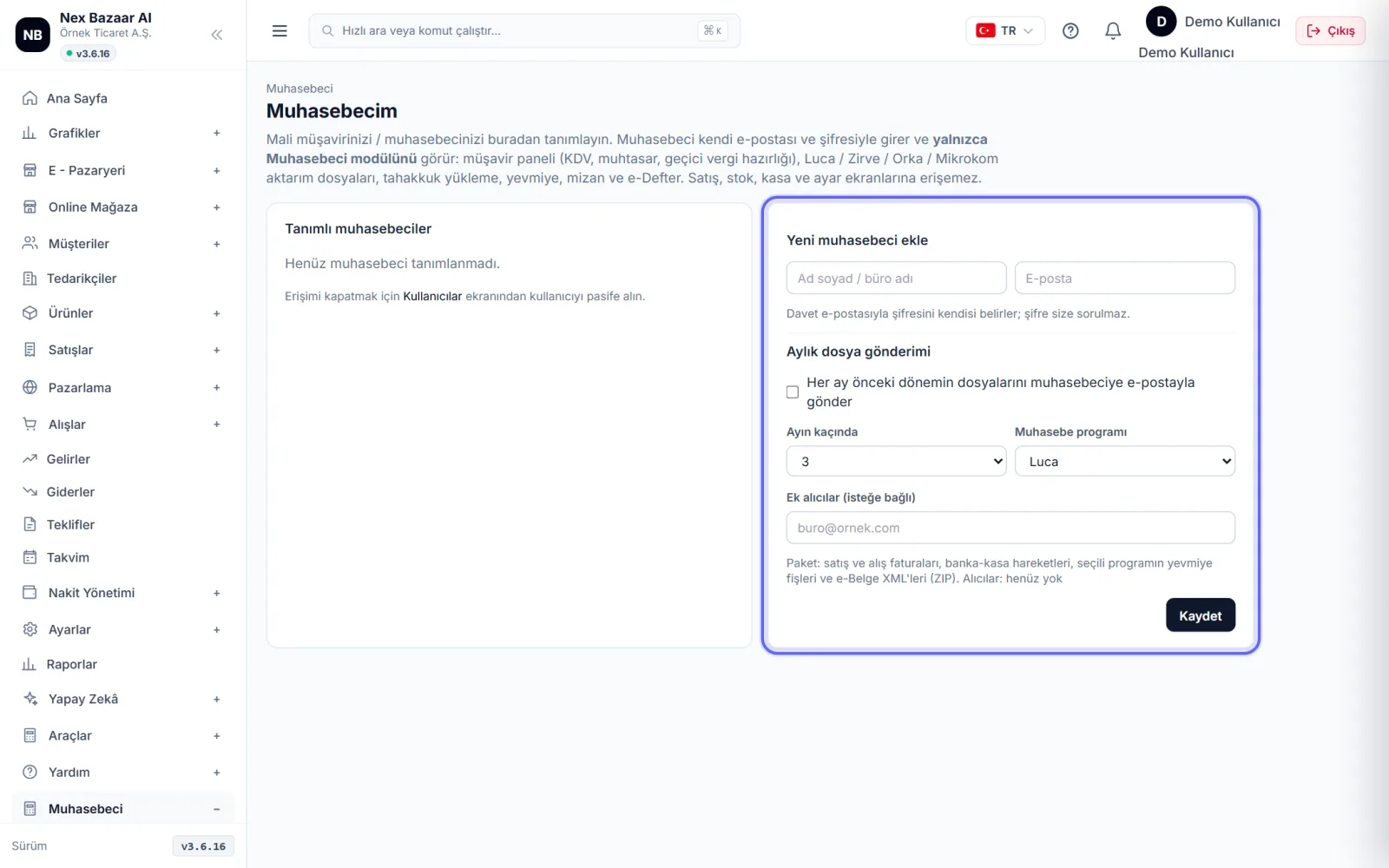
Muhasebecinizi tanımlayın
Accountant → My Accountant (define)'ya girin. Add new accountant in the section Name surname / office name, Email and accounting program'nı seçip kaydedin. Muhasebeciye davet e-postası gider; şifresini kendisi belirler, şifre size sorulmaz.
-
 Enlarge ⤢
2
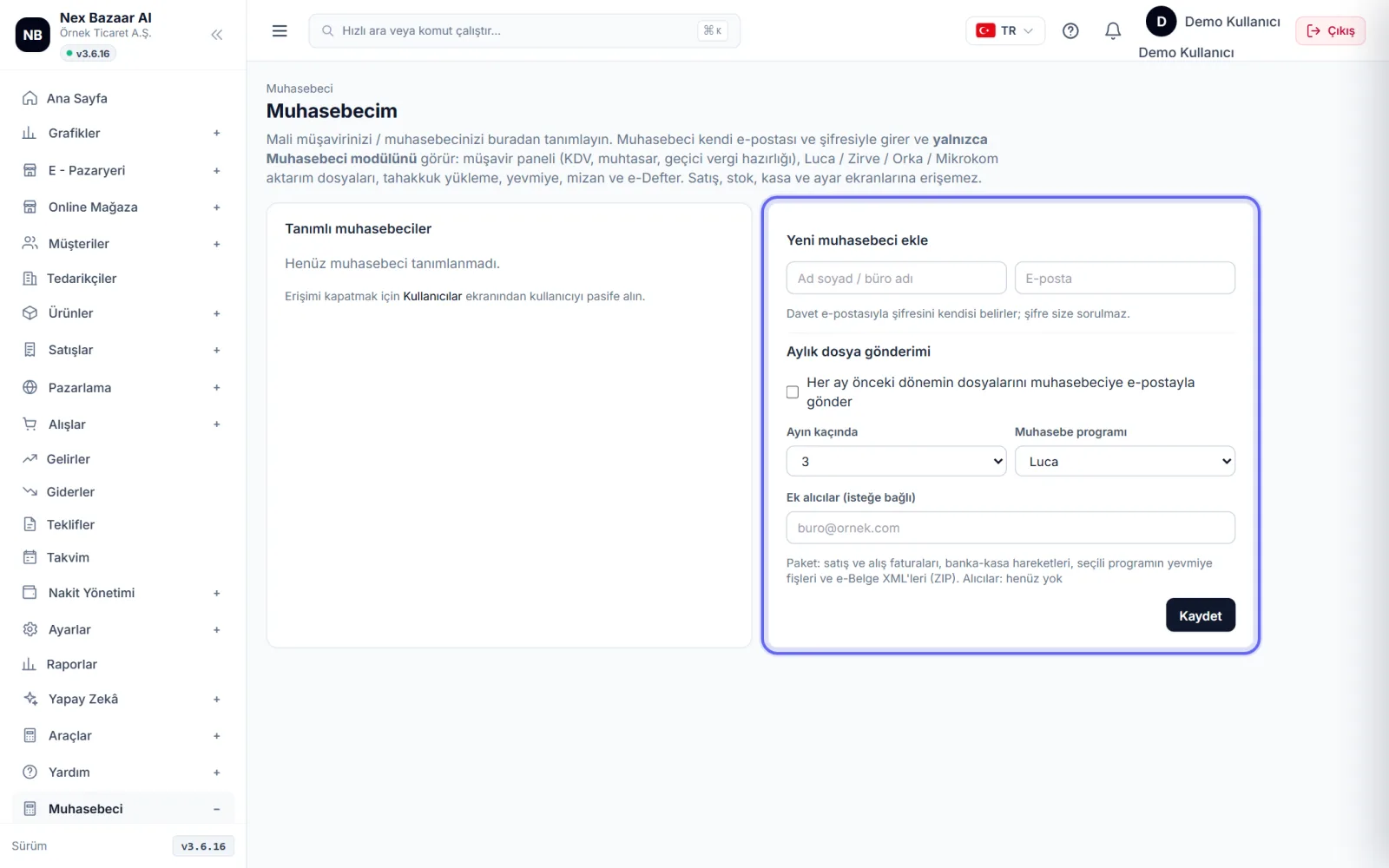
Turn on monthly file submission
Monthly file submission If it is on, every month, on the day you choose (What time of the month?) bir önceki dönemin satış ve alış faturaları, banka-kasa hareketleri, seçili programın yevmiye fişleri ve e-Belge XML'leri tek ZIP olarak gider. Hemen göndermek için Send now.
-
 Enlarge ⤢
3
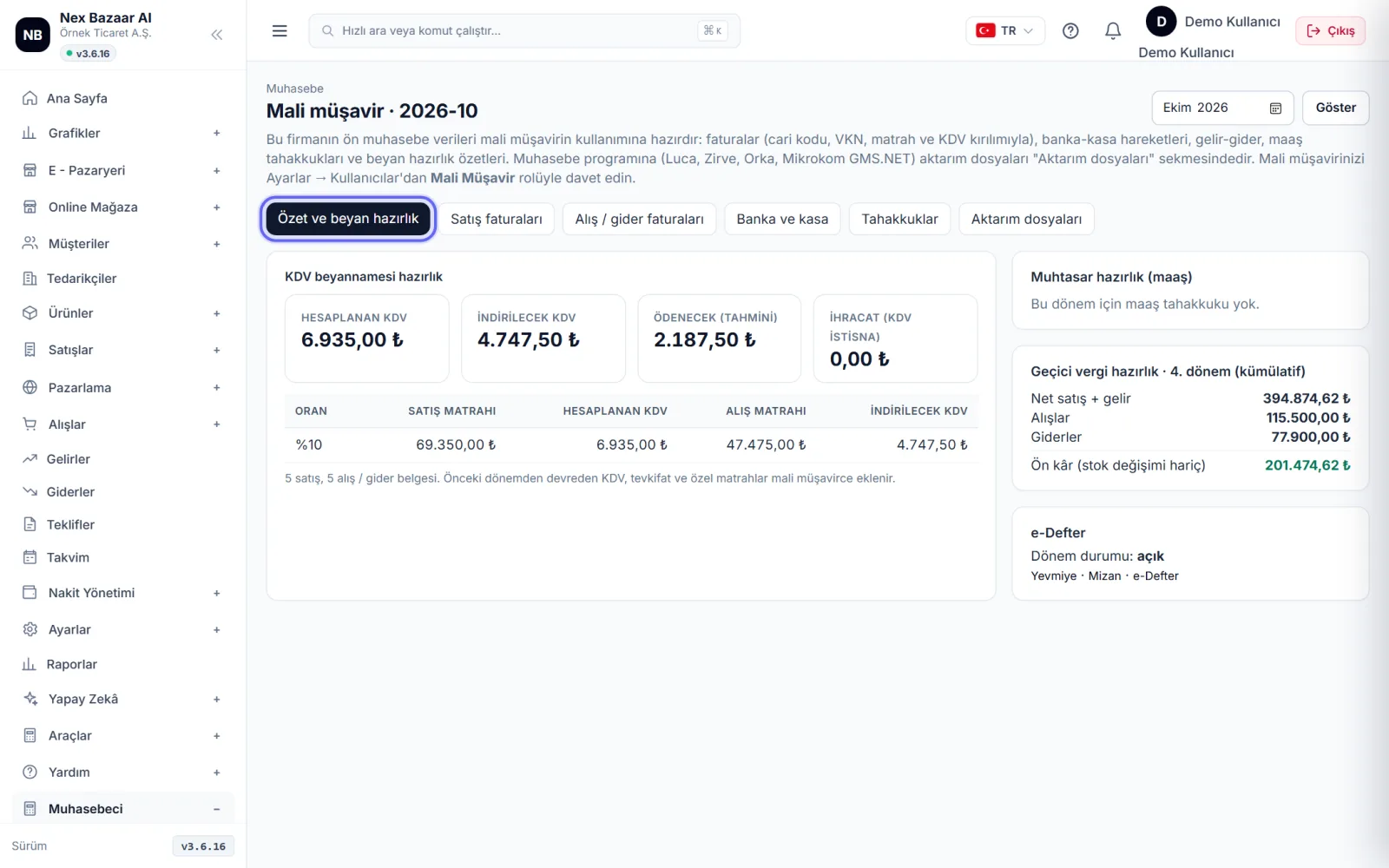
What does an accountant see?
The accountant logs in with his own email and password and accountant sees the module: Advisory Panel (VAT declaration, withholding and provisional tax preparation), transfer files, accrual upload, Journal Book, trial balance and e-Ledger. Satış, stok, kasa ve ayar ekranlarına erişemez.
-
 Enlarge ⤢
4
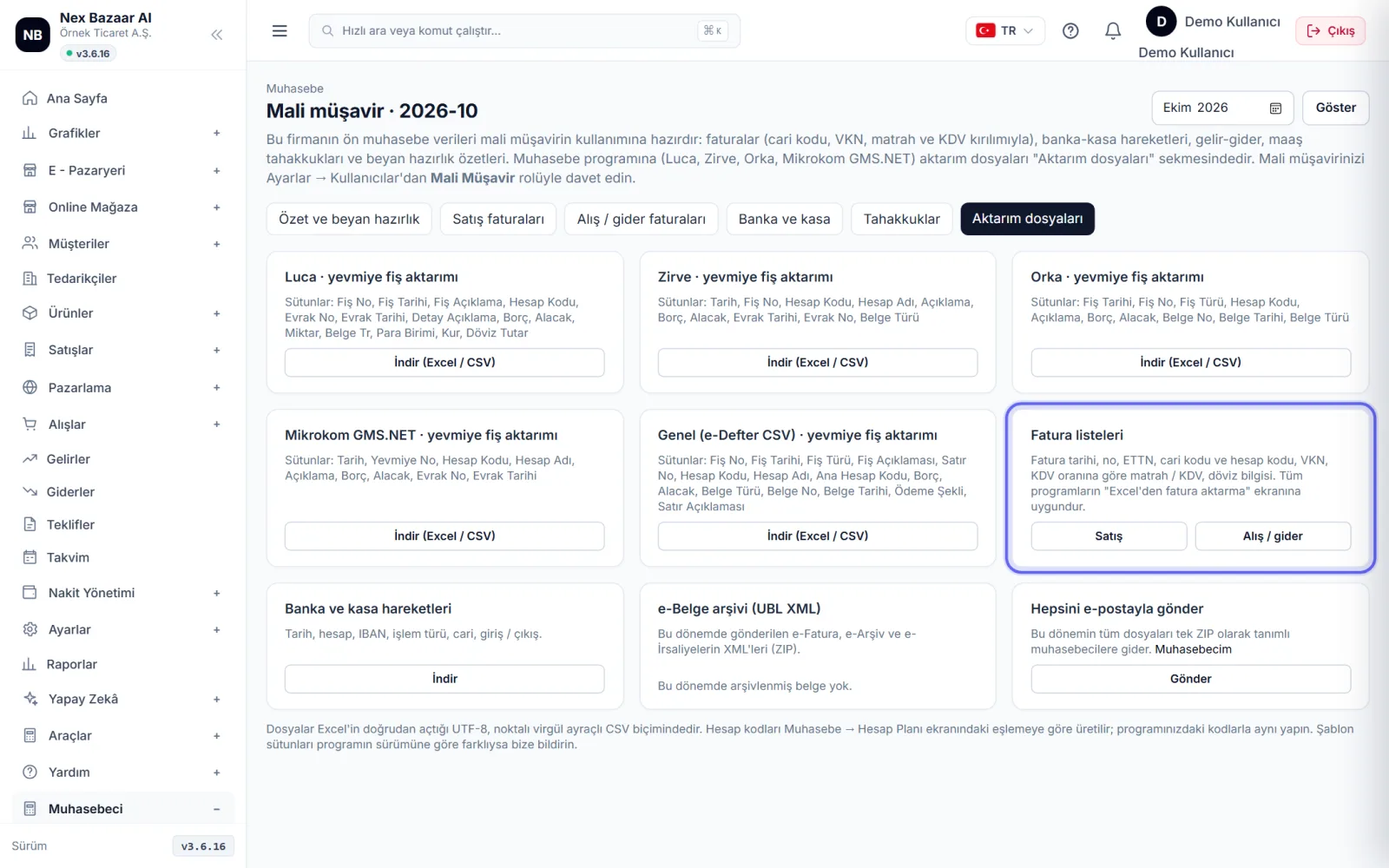
Download transfer files
Müşavir Paneli'nin Transfer files in the tab select the period; Download journal vouchers, invoice lists and bank-cash transactions in Luca, Zirve, Orka, Mikrokom GMS.NET or general e-Ledger CSV format (Download (Excel/CSV)). Dönemin e-belge XML'leri Download ZIP ile alınır.
-
 Enlarge ⤢
5
Allocate accruals
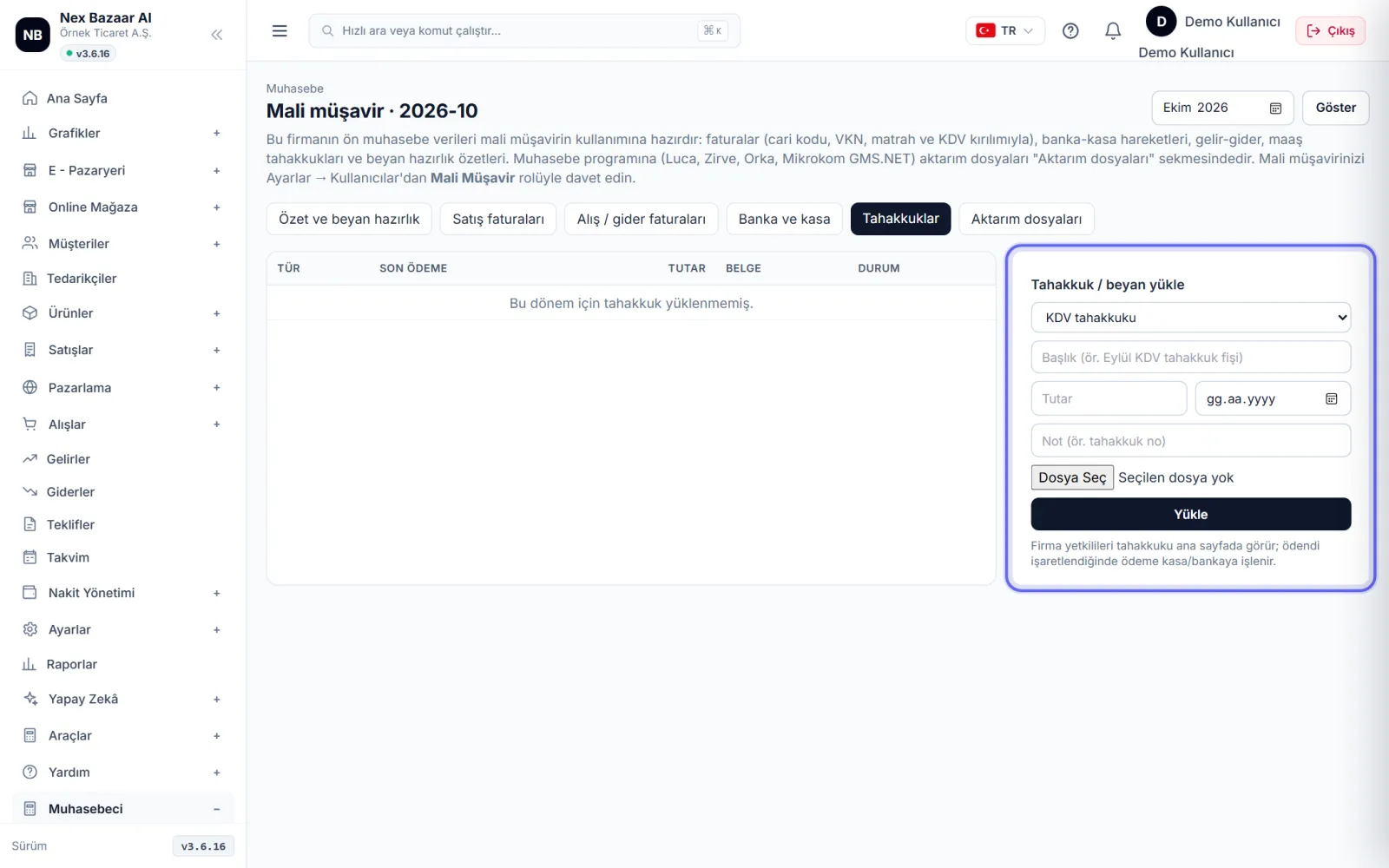
accountant Accruals declaration accruals from the tab (Upload accrual / statement) loads with amount and due date. Company officials see the accrual on the home page; when you pay Paid işaretlenir.
-
6
multiple companies
If your accountant is identified at more than one client's company All My Companies ekranından firmalar arasında geçer; her firmanın verisi ayrıdır.
Common problems
Invitation email not sent+
E-posta gönderim hesabı tanımlı olmalı (Settings → Email and SMS). E-posta adresini kontrol edip muhasebeciyi yeniden kaydedin.
I want to turn off the accountant's access+
Settings → Users and Authorizations'den kullanıcıyı pasife alın.
Account codes are empty in the transfer file+
Hesap planı eşlemesi eksik. Muhasebeci Accountant → Chart of Accounts'ndan kodları düzenleyebilir.
Frequently asked questions
Is Accountant user paid?+
No; accountant user is free and does not count towards your package's user limit.
Can my accountant issue invoices?+
No; The accountant role cannot see the sales, stock, cash and settings screens, but only the accounting screens.