
Raporlar ve Patron Ekranı
İşinizin nabzını tek ekranda görün: Patron Ekranı'nda bugünün cirosu, canlı siparişler ve nakit; raporlarda satış, kâr, cari bakiye, nakit akışı, stok ve KDV. Her raporu Excel'e alın ya da düzenli e-postayla gönderin.
Audio narration · Click on the player for Turkish subtitles. CC button. The same steps are written and screenshotted below.
before you start
- ●Reports are generated from the invoices, collections and stock movements you enter; For profit reports, purchase price / cost must be entered for the products.
step by step
-
 Enlarge ⤢
1
Open Boss Screen
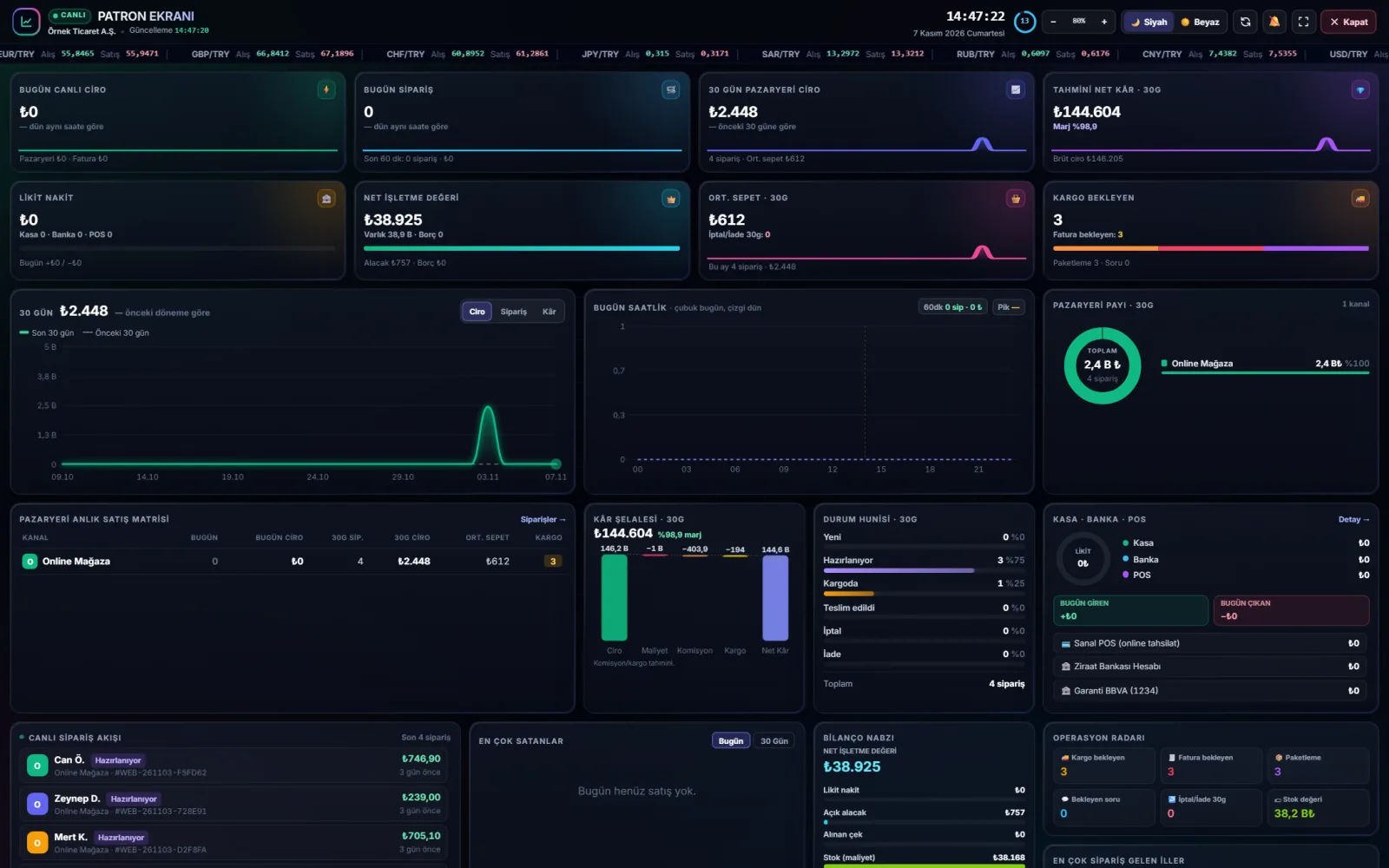
on the home page Boss Screen button opens a full-screen summary: turnover today and yesterday, hourly sales, Live Order Flow, Best Sellers, Cities with the Most Orders, Safe · Bank · POS bakiyeleri ve bugün giren / çıkan para. Toplantıda ya da dükkândaki ekranda açık bırakılabilir.
-
 Enlarge ⤢
2
Enter report list
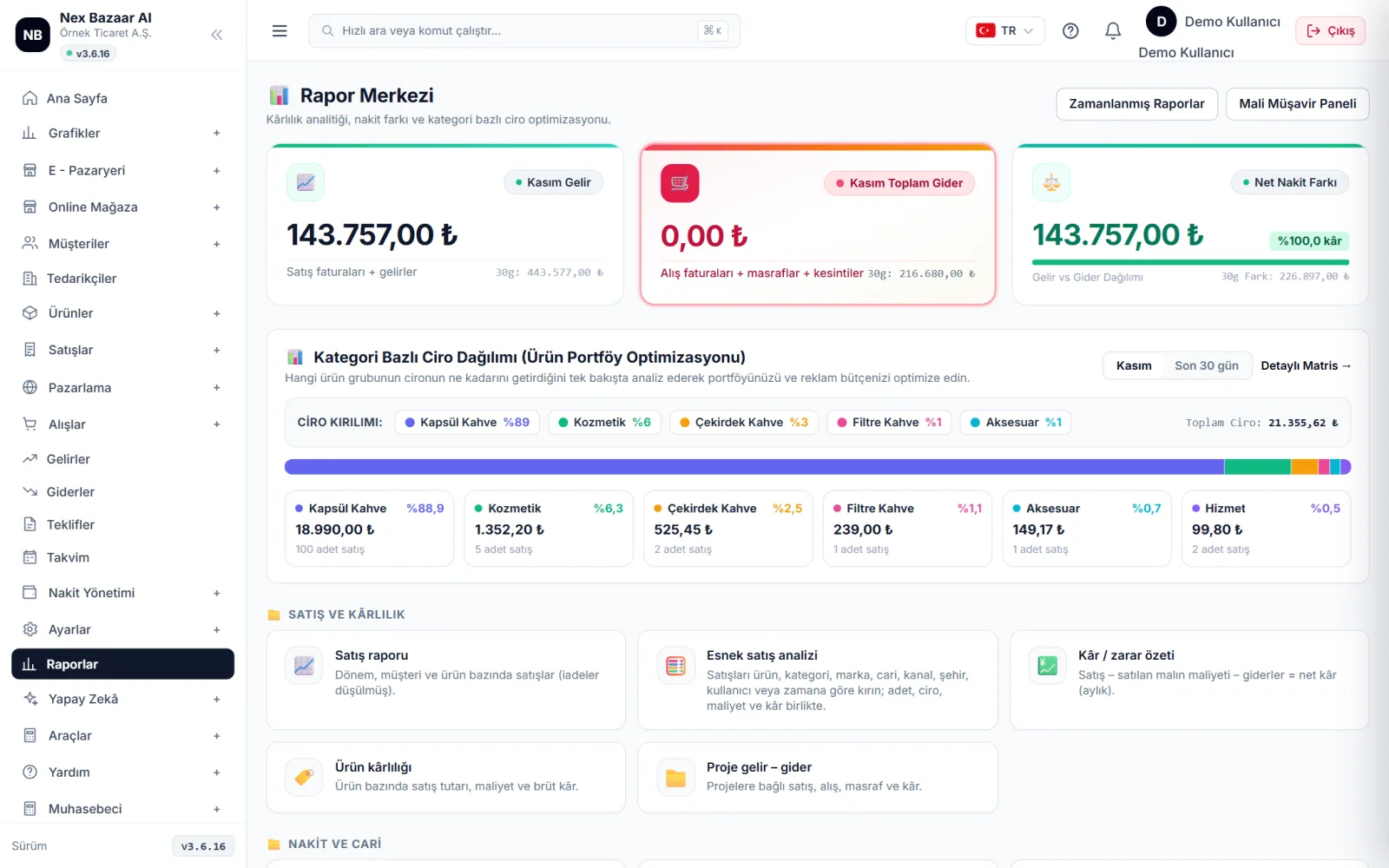
From the left menu Reports. The reports are in four groups: Sales and profitability (sales report, flexible sales analysis, profit/loss summary, product profitability, project), Cash and current (cash flow forecast, cash – bank summary, current balance list, maturity aging), Purchases, expenses and inventory and tax (KDV özeti, BA / BS formu).
-
 Enlarge ⤢
3
Select date and filter
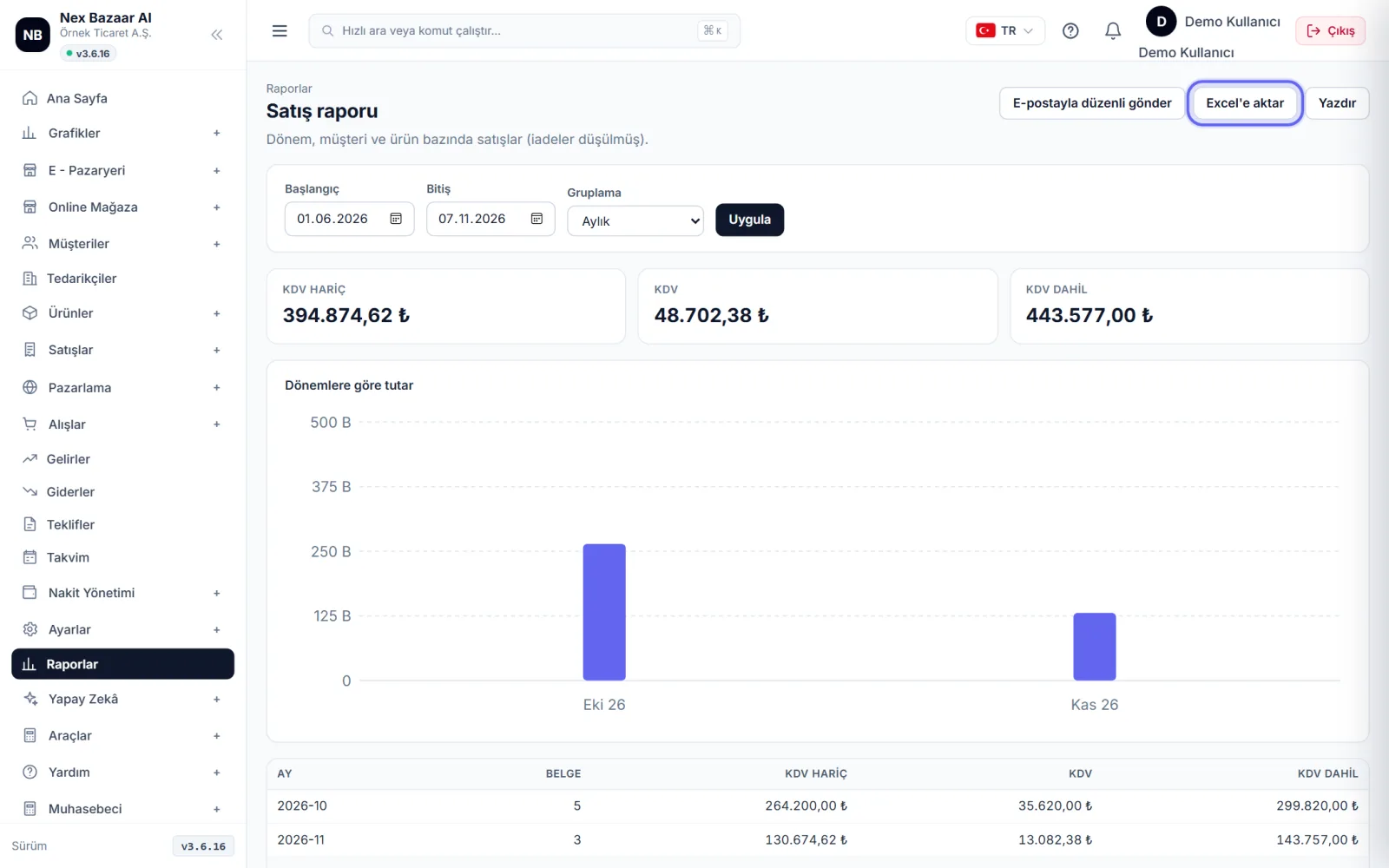
Open the report Start and End select dates, Apply'ya basın. Sonucu Export to Excel ile indirin ya da print.
-
 Enlarge ⤢
4
Make a breakdown with flexible sales analysis
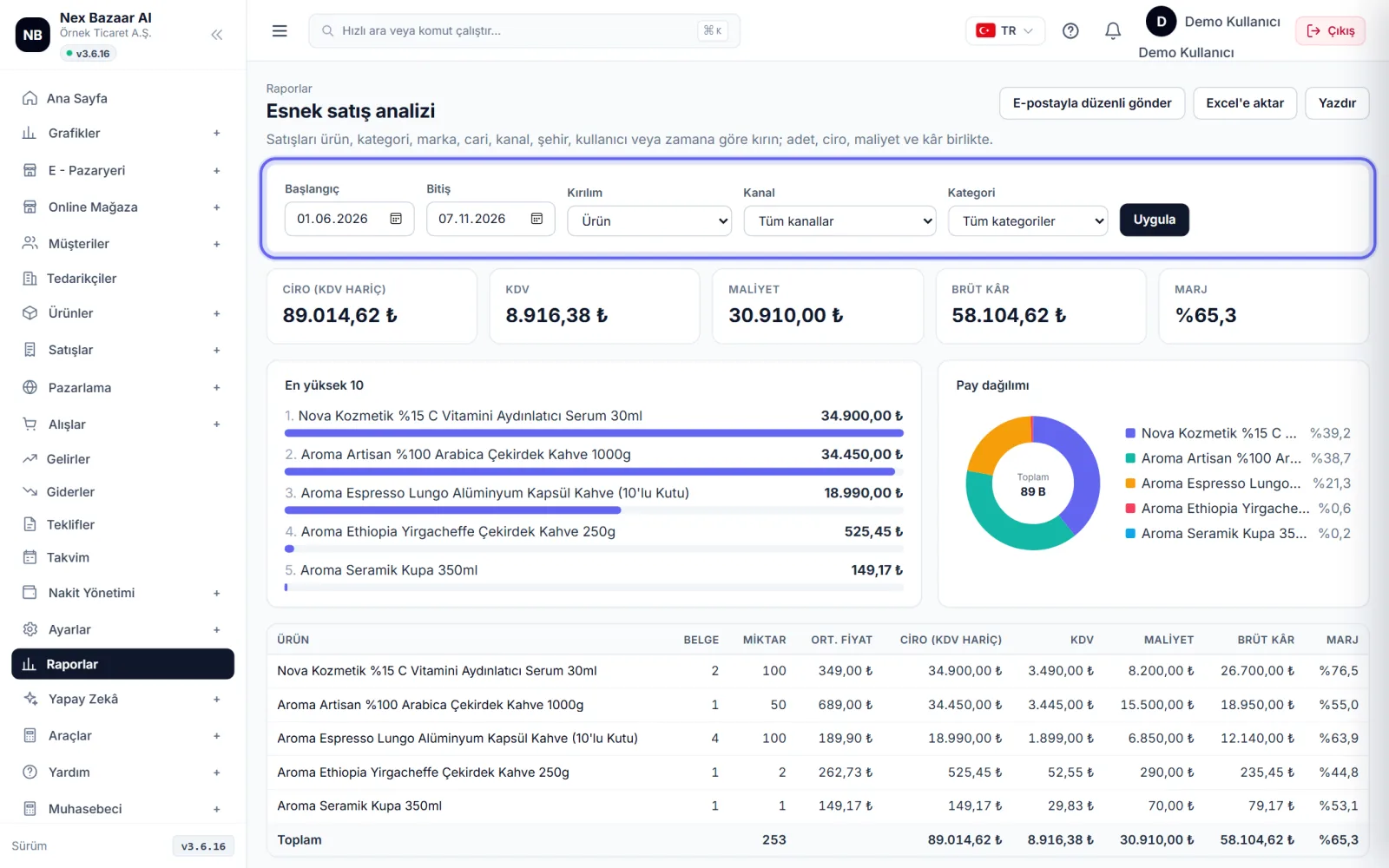
Flexible sales analysis satışları ürün, kategori, marka, müşteri, satış kanalı, müşteri şehri, satışı yapan kullanıcı, ay, hafta ya da güne göre kırar; adet, ciro, maliyet ve kâr birlikte görünür. Hangi kanalın, hangi markanın kâr bıraktığını burada görürsünüz.
-
 Enlarge ⤢
5
Monitor cash flow and receivables
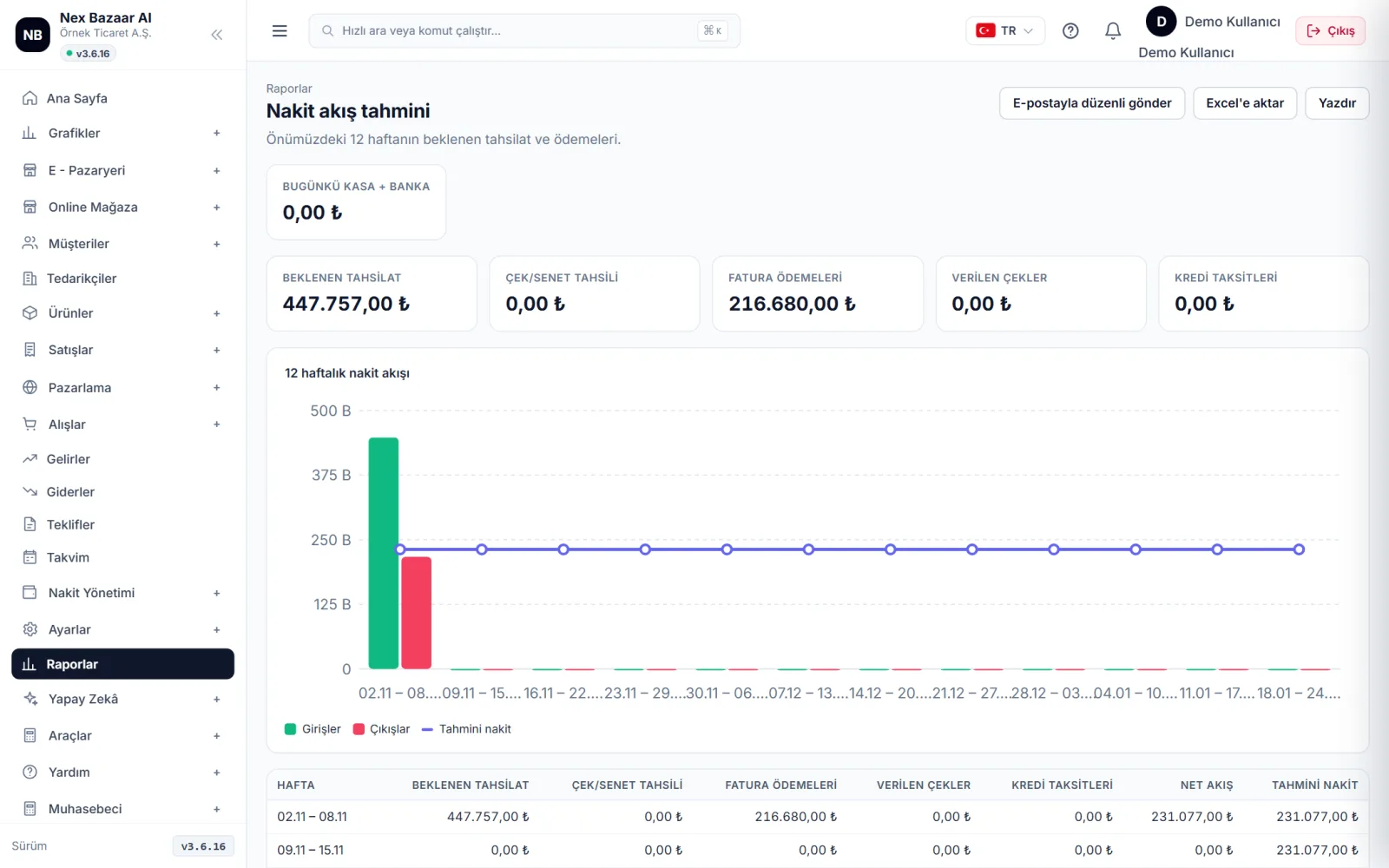
Cash flow forecast expected collections and payments for the next 12 weeks; maturity aging açık faturaların vadesine göre dağılımını gösterir. Geciken alacakları buradan takip edin.
-
 Enlarge ⤢
6
Receive the report by regular email
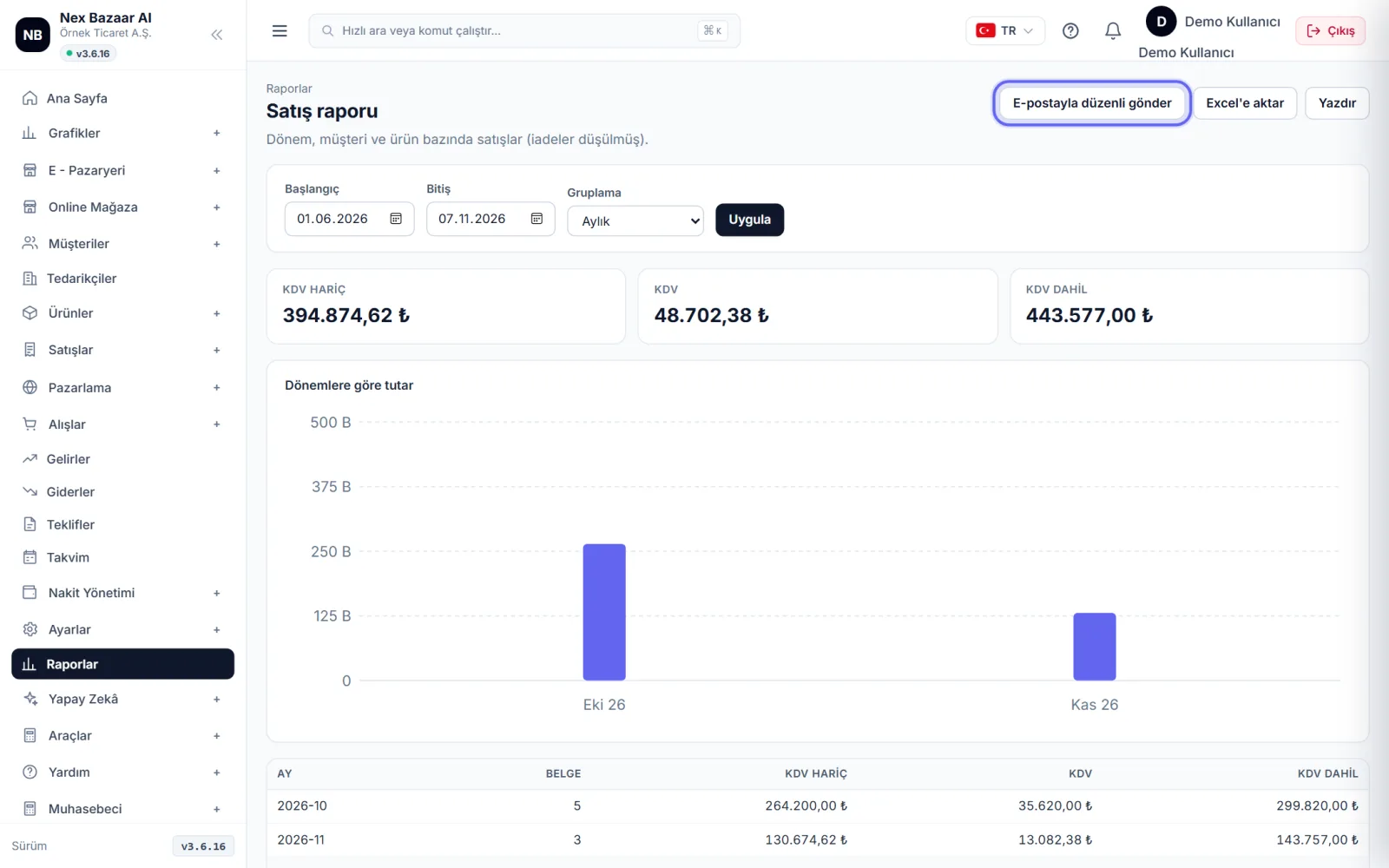
On the report screen Send regularly by email ile frequencyday, Time and Recipients (with comma) select and save. All scheduled reports Report Center → Scheduled Reports'da listelenir.
-
7
Marketplace and store reports
Report Center with channel comparison, return and cancellation analysis, product profitability and margin, stock value and health, operation and SLA risk in the menu. Online Store Reports bulunur.
Common problems
Profit too high/low in profit report+
The purchase price or opening inventory cost is missing from the products. Enter the purchase price on product cards; Purchase invoices automatically update the cost.
Sales report does not show marketplace orders+
Raporlar faturalanmış satışları sayar. Faturası kesilmemiş siparişler E - Marketplace → Sales (Orders)'de "Faturalanacak" sekmesindedir.
Scheduled report email not arriving+
E-posta gönderim hesabı tanımlı olmalı: Settings → Email and SMS.
Frequently asked questions
Can my accountant see the reports?+
Yes; The accountant user sees VAT, sales / purchase lists and bank transactions in the Consultant Panel and downloads the transfer files.
Can I restrict report authority?+
Evet, Settings → Users and Authorizations'den rapor ve maliyet görme yetkisini rol bazında açıp kapatın.