
From order to cargo, from setup to security
The order flow, migration steps, who it suits and the security of your data.
One click from order to shipping.
-
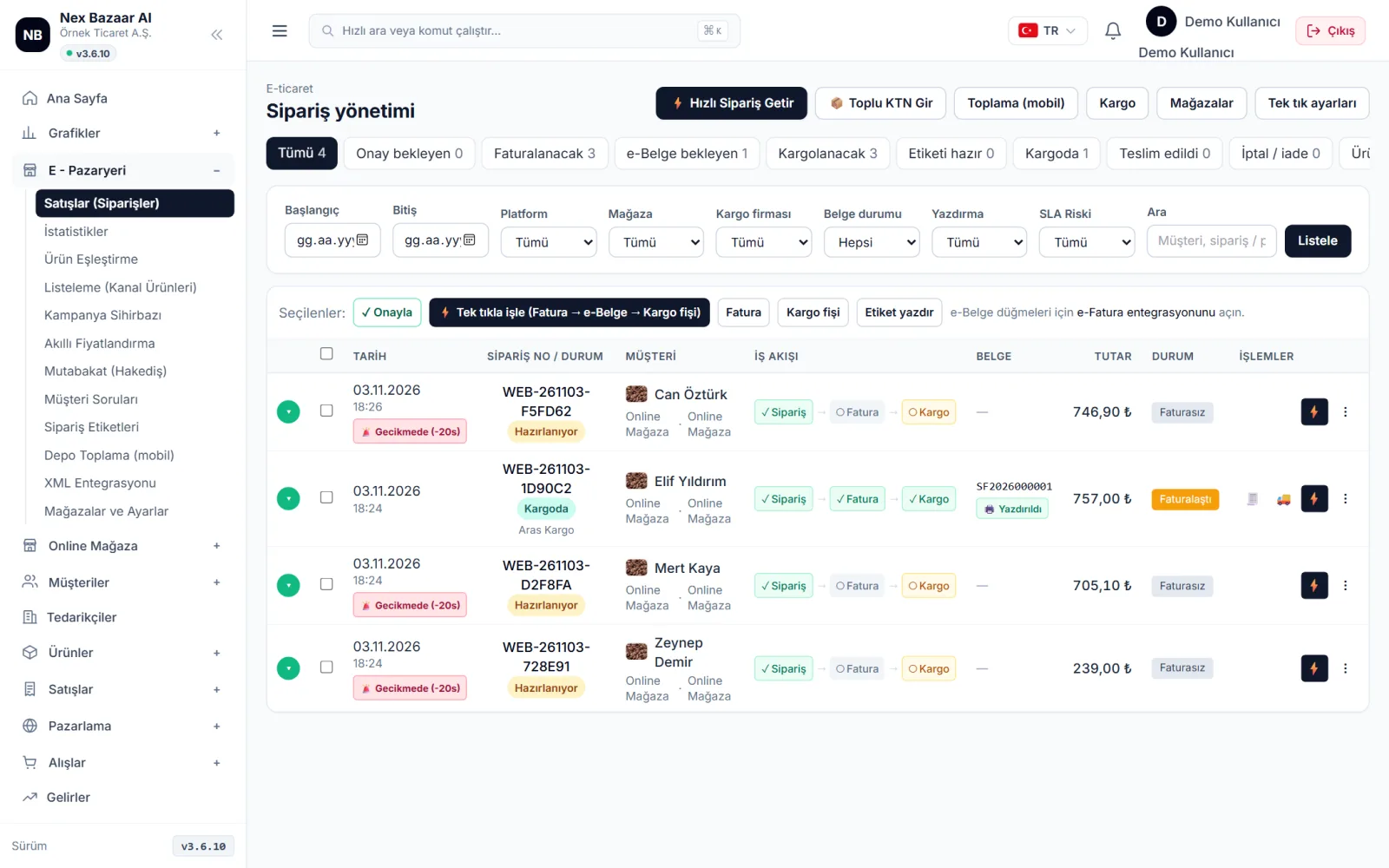
01Order dropsAll channels in one list; customer card opens automatically
-
02ConfirmClick one by one or all in one click
-
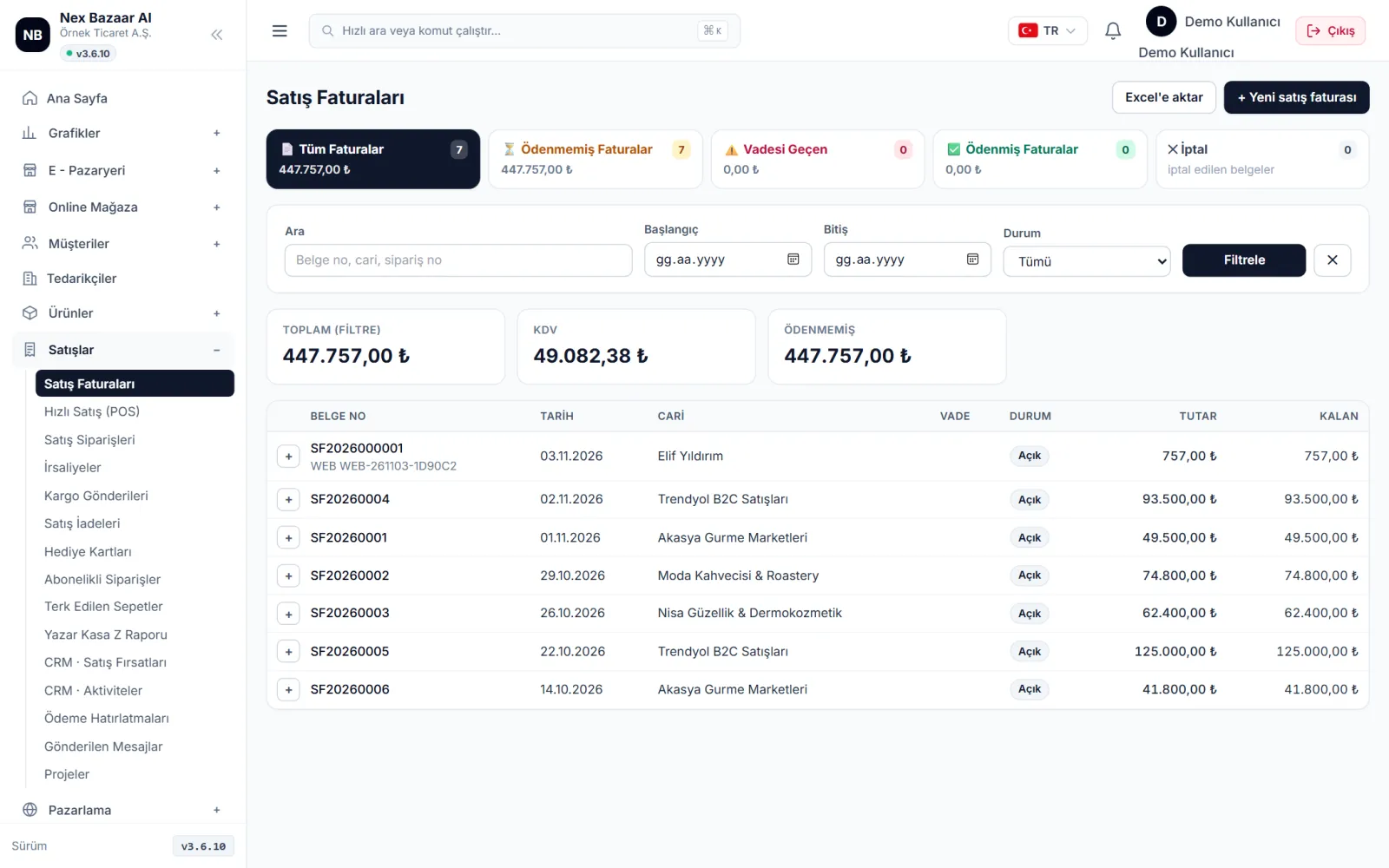
03invoiceStock decreases, current is processed; keeps it penny to penny
-
04e-Documente-Invoice / e-Archive with one click
-
05ShippingLabel with barcode, shipment is tracked
-
06Stock is equalizedInstantly on all channels
Switch from your current schedule in 10 minutes.
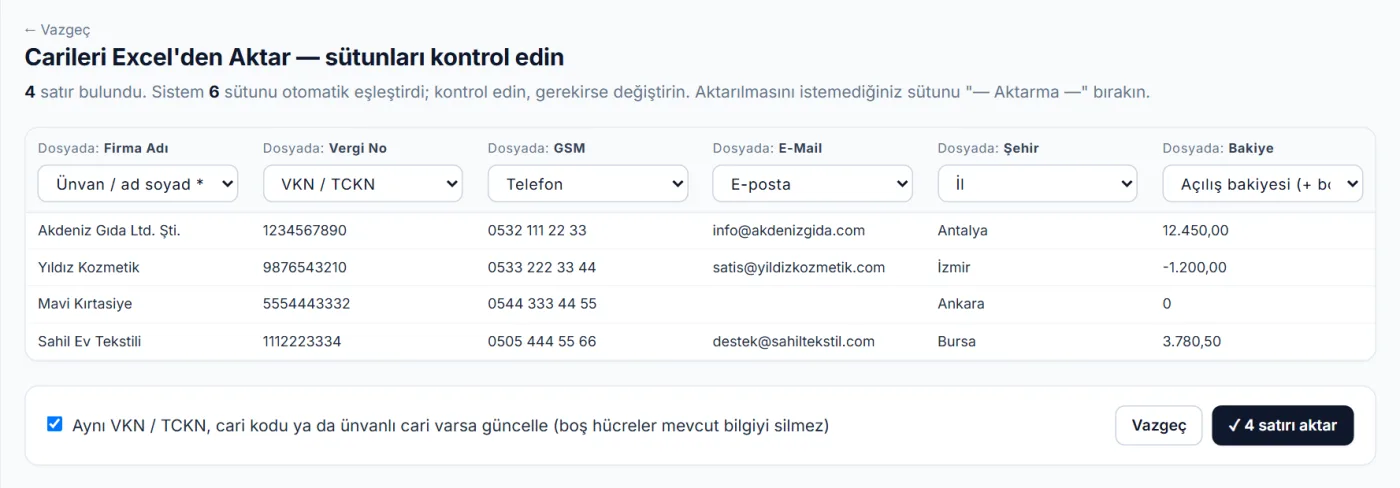
Upload your clients and products with your own Excel file; The system recognizes the columns, you just control them. The installation wizard completes the company, cash register, warehouse and store settings with you.
- 1Install your Excel as is"Firma Adı", "Vergi No", "GSM", "Fiyat", "Adet" gibi başlıklar otomatik eşleşir.
- 2Preview, confirmYou see the lines before transferring; If there is the same record, it will be updated and will not be opened twice.
- 3Continue where you left offEverything you enter during the trial period remains as it is when you switch to the package.
Choose your job and see what it will bring you.
Same program; It solves the order load for the marketplace seller, the current and maturity issues for the wholesaler, and the document traffic for the financial advisor.
“I sell in marketplaces, I can't grow everything by hand.”
- You enter each marketplace's panel separately.
- Stock ending in one channel continues to be sold in another
- You manually enter orders into accounting again
- It is unclear what you earn after commission and shipping deductions.
- Order of all channels in one list; Invoice, e-document and cargo with one click
- With every sale, stock is synchronized across all channels
- Real profit minus commission, shipping and service charges
- Progress payment statement is compared with your orders
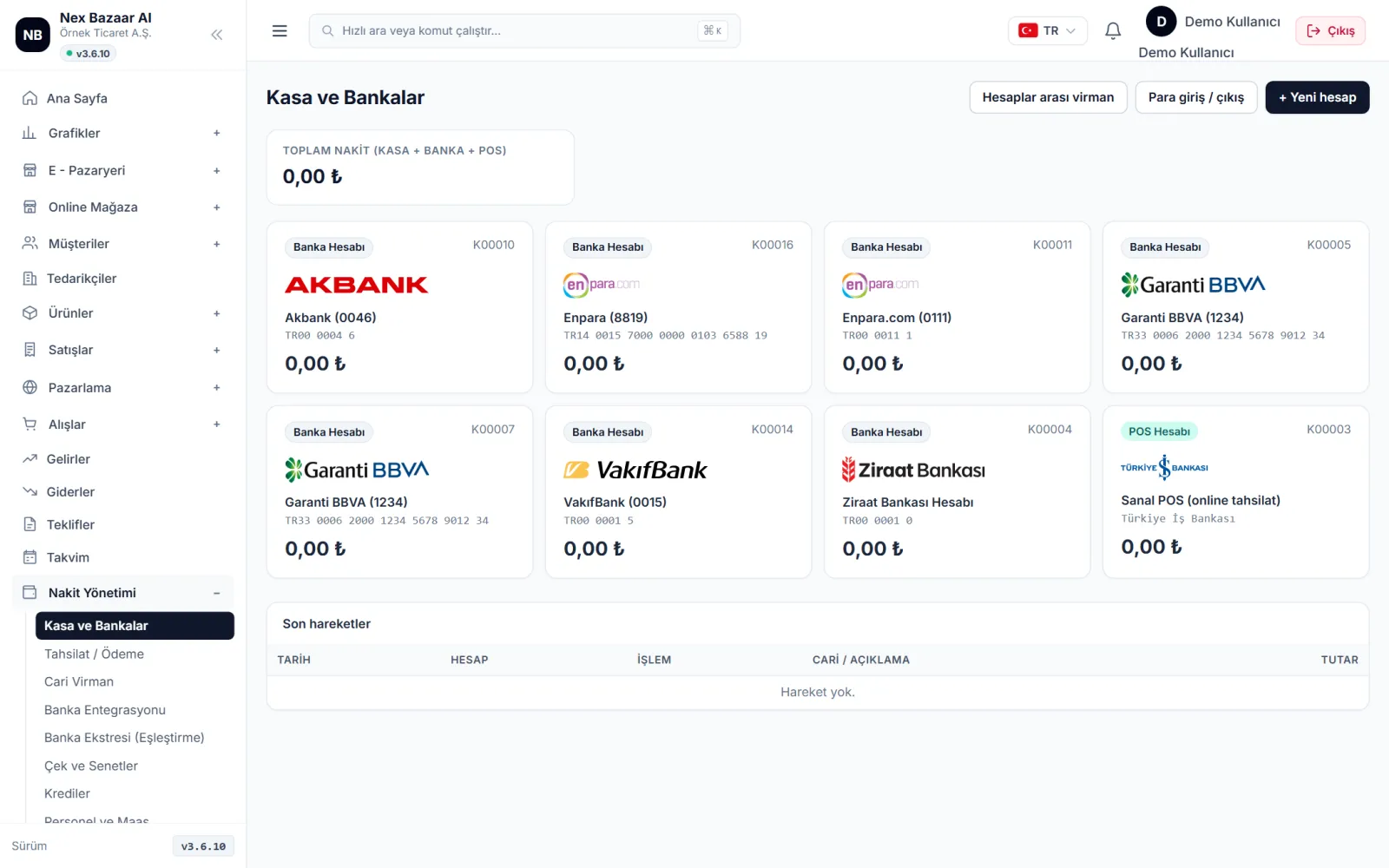
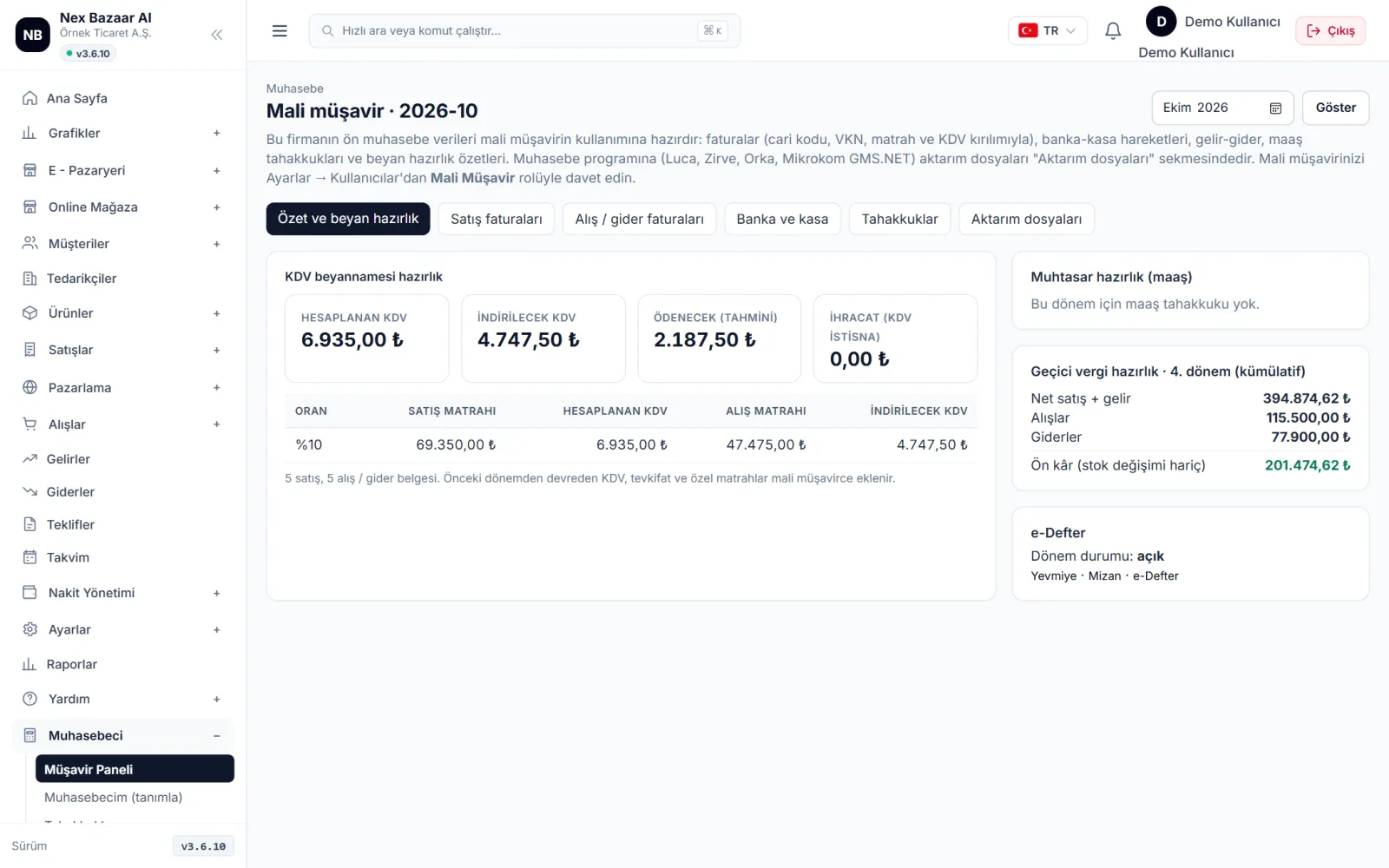
One system instead of scattered tools
| individual programs | Nex Bazaar AI | |
|---|---|---|
| Subscription | 3–4 separate payments | single subscription |
| Stock | Manual sync between channels | Instantly on all channels for every sale |
| invoice | Re-entering the order into accounting | One-click invoice + e-document from the order |
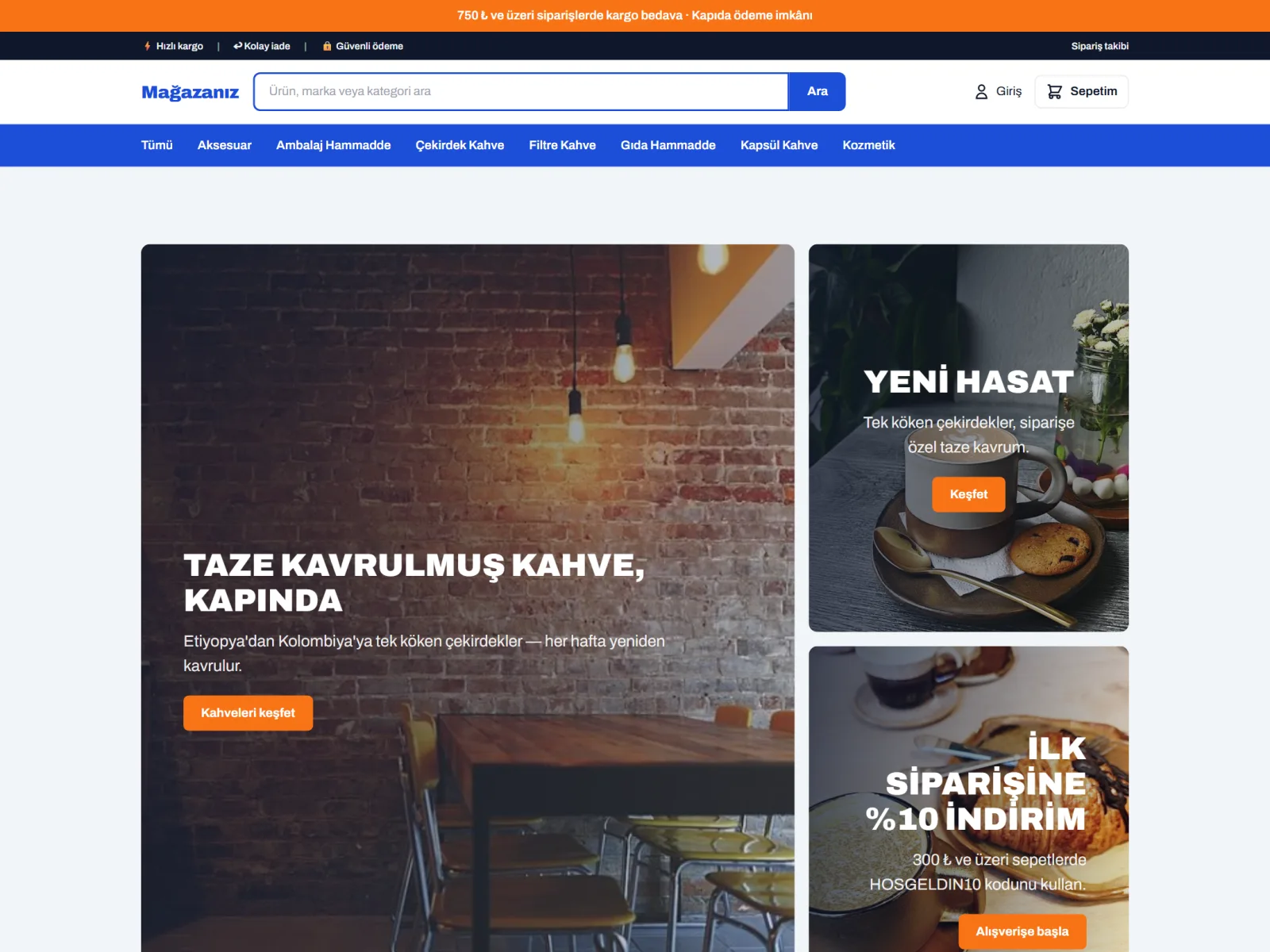
| online store | Separate site, separate product list | Products in accounting directly in the store |
| Reports | Merge in Excel | Profitability is ready on a channel and product basis |
| financial advisor | Sending data with Excel | Including accountant panel, not counting users |
| Product text and image | Separate fee for copywriter and photographer | AI Studio: description, SEO, image editing |
| overseas sales | Separate translation service | Store in 12 languages, with AI translation |
Calculate how many hours your manual work costs you.
Enter your own numbers. Account; It is based on the assumption that entering the order into accounting, stock reduction, preparing invoices and shipping slips takes an average of 4 minutes per order, and 30 seconds when done collectively on the panel.
It is an estimate; actual earnings vary depending on your workflow.
Your data is yours, you are in control.
Accounting data is the most sensitive information of the business. Who saw what, who changed what, it's all recorded; You can export all your data whenever you want.
encrypted connection
Panel, store and API traffic is encrypted with SSL / TLS; Passwords are stored as a one-way digest.
Role and authority
Open to each user only the screens they need: sales, warehouse, accounting, read-only.
transaction history
Every change on the invoice, current account and stock is recorded with who and when information.
automatic backup
The database is backed up daily, backups are regularly verified for restoreability.
KVKK
Information texts, explicit consent records and privacy pages for store customers are ready.
Data portability
Current, stock, invoices and reports are exported to Excel at any time; You are not bound by a contract.